LABELER TYPE SETUP PROCEDURE
6-10
DUAL ACTION TAMP (DAT) SETUP (cont’d)
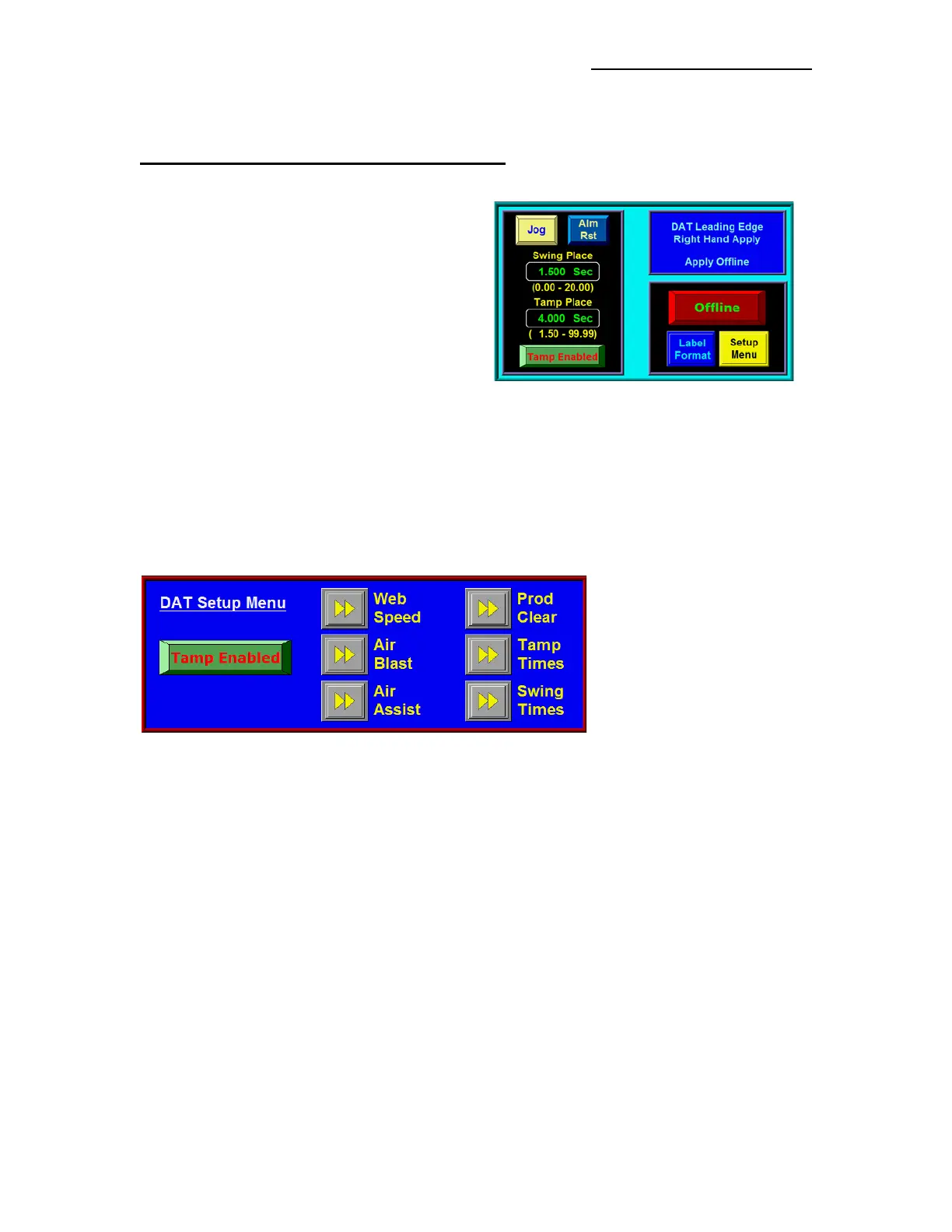
LABEL PLACEMENT
When the Applicator is set to DAT, a Second Label
Placement Value appears in the Main and Product
Setup Menus. The First Placement Value corresponds
to the first Tamp Action while the Second Placement
Value corresponds to the Second Tamp Action. The
allowed values are between 0 and 20 seconds or
inches for the First and between 0 and 99 for the
Second Label Placement. A suggested lower range
limit appears below the Second Label Placement
Value. Its value varies depending on the First Label
Placement, Extend and Retract Values for the
Applicator.
APPLICATOR SETUP
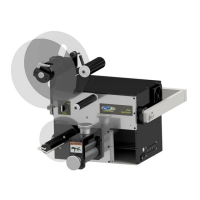
Applicator Setup Menu for the DAT is shown to below. Once Tamp or Swing Times are selected, both
Extend and Retract Timers are accessible for changing. The Extend Timers determine how long the Tamp
or Swing valves are on before the air blast occurs. The Extend Timers should be set long enough to insure
that the Label Pad is fully extended before the air blast occurs. The Retract Timers determine how long the
valve will be off before a label is fed onto the Label Pad. The Retract Timer Values should be set long
enough to ensure that the Label Pad is home before feeding a label.
Note: If the Encoder is enabled and the conveyor stops after a Product Detect Signal is received, the
Applicator will wait for the Encoder Signal (conveyor) to resume before continuing with the Label
Application Cycle. This feature is provided for instances when some operation must be performed
on the product at standstill. The operator may abort the cycle by pressing “JOG” or going offline.


 To Next Page