TROUBLESHOOTING
9-5
DISPLAY FAULTS
The Operator Interface will display Warnings and Alarms that pertain to the application. The following are
screens that will help diagnose a Drive or Display problem that is more serious in nature than the standard
Alarms.
DRIVE FAULT
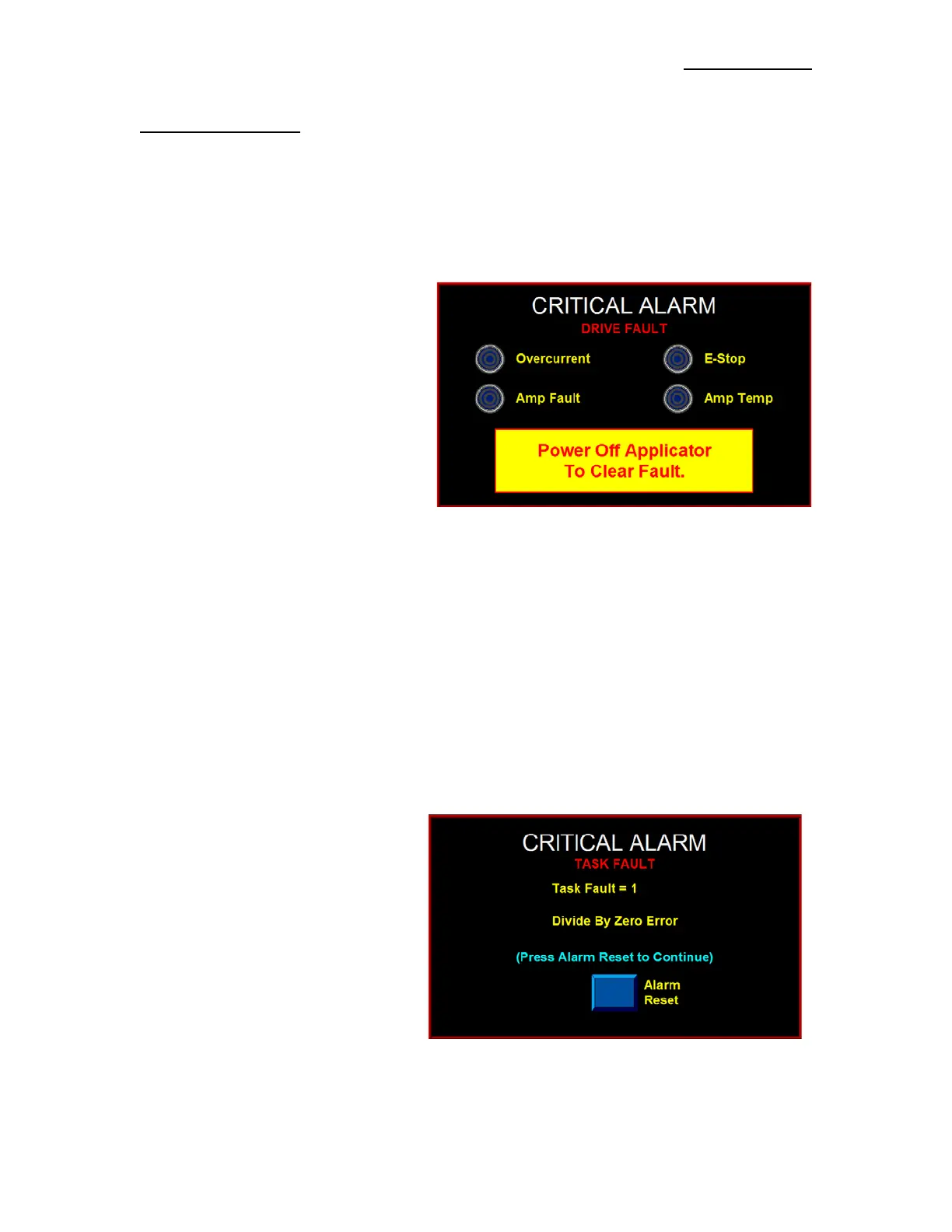
The Drive Fault screen will list four (4) things that will stop the Applicator from running when they occur.
Without this screen, it would be impossible to know why the Applicator stopped.
Overcurrent -This Fault occurs when the
Drive Current has exceeded its configured
maximum value. Ensure that there are no
obstructions in the web path and that the
Unwind Brake releases properly. If these
items are correct, reduce the Motor Accel
and Decel values to their factory default
values and re-run the application. If the
mechanical system and setup is correct,
consult the factory to determine if the Drive
Current value is appropriate for your
application.
Amp Fault - If this occurs, there has been a failure on the Drive Board. The factory should be consulted if
this occurs.
E-Stop - In the future, the operator will be allowed to enable the E-Stop Protection Circuit to the Drive. If
this circuit were enabled and open, an E-Stop Fault would occur. Currently this is disabled in the
Applicator.
Amp Temp - This Alarm occurs when the Drive Amplifier Temperature exceeds the upper limit. If this
Alarm occurs, clean the Applicator’s Air filter and insure that the Cooling Fan is running properly. Also,
ensure that there are no obstructions in the web path and that the Unwind Brake releases properly. If
possible reduce Accel and Decel values to factory defaults and lower the application speed. If the
mechanical system and setup is correct, consult the factory to determine if the Drive Current value is
appropriate for your application.
TASK FAULT
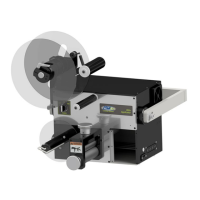
If a Controller Task Fault occurs, the screen
shown to the right appears. This occurs due
to a programming issue. Contact the factory
with the Task Fault number and Fault
Explanation shown on the screen.


 To Next Page