TROUBLESHOOTING
9-6
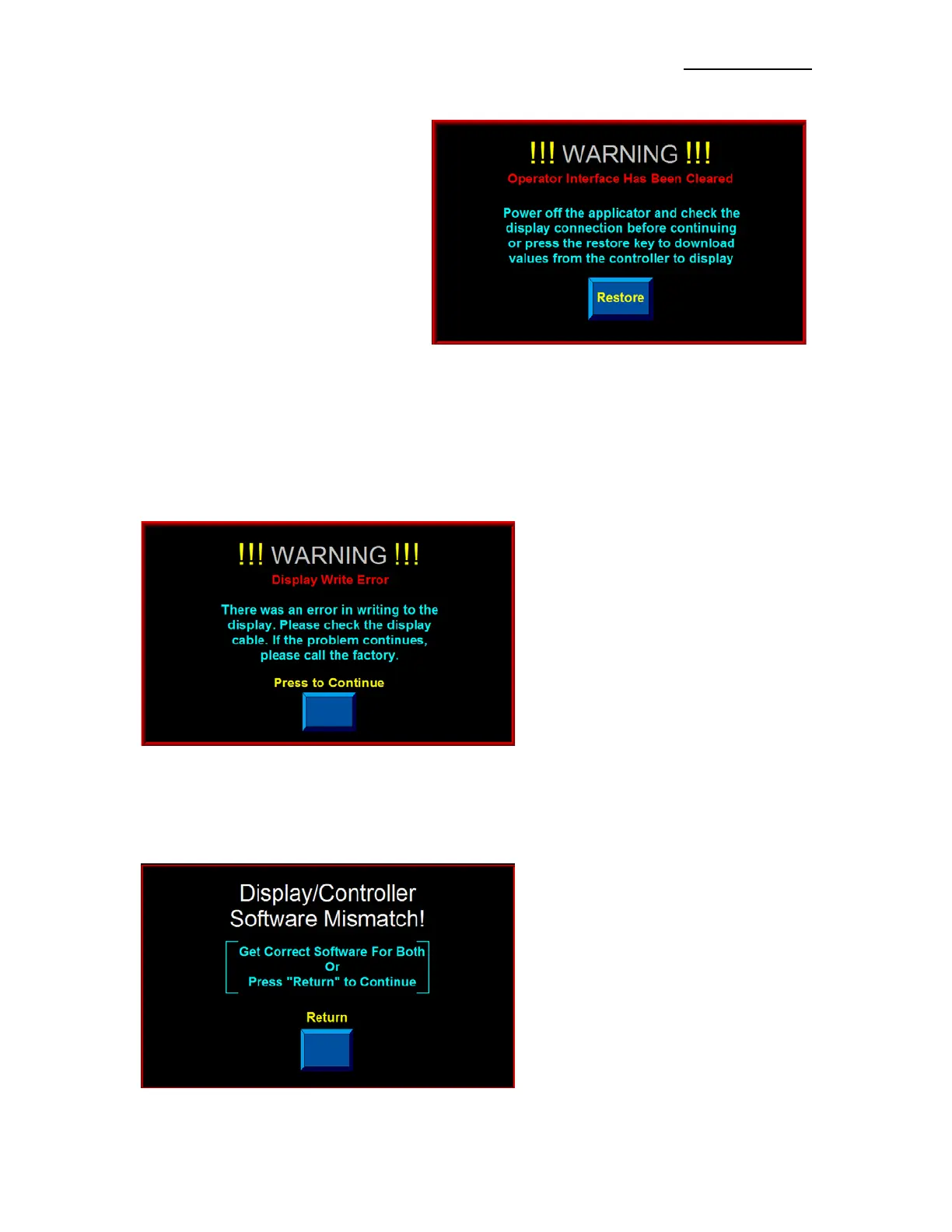
CLEARED DISPLAY VARIABLES
At power up, the Applicator’s Controller
sends all of the system variables to the
Display. While the Applicator is powered,
the Controller looks to see if the Display
variables have changed. If for some reason
the variables are reset to zero, a Warning
Screen is displayed indicating that the
Display has lost its variables. Pressing the
“Restore” Key re-loads the variables and
clears the Alarm. It has the same effect as
powering the unit off and restarting the
system.
Typically, this situation occurs when the Display Cable is loose or unplugged.
DISPLAY WRITE ERROR
When necessary, the Controller attempts multiple reads or writes to the Display. If it gets no response, a
Read/Write Error Screen is displayed. If this occurs, contact the factory since it is likely a programming
issue or a hardware failure.
SOFTWARE MISMATCH ERROR
If the Display and Controller Programs do not match, a Software Mismatch Screen appears to warn the
operator that both devices do not support some screens or functions. This can happen if the Drive Program
is updated and the Display Program is not or vice versa.


 To Next Page