8.930-369.0 • 2848 • Rev. 4/13a
33
PARTS WASHER Maintenance Guide
Step 6:
Remove the three screws from the skimmer motor
mounting plate to remove the motor from the skimmer
assembly (See Figure Below).
Step 7:
Reassemble the skimmer assembly and replace it on
the machine. Assembly is the reverse of removal.
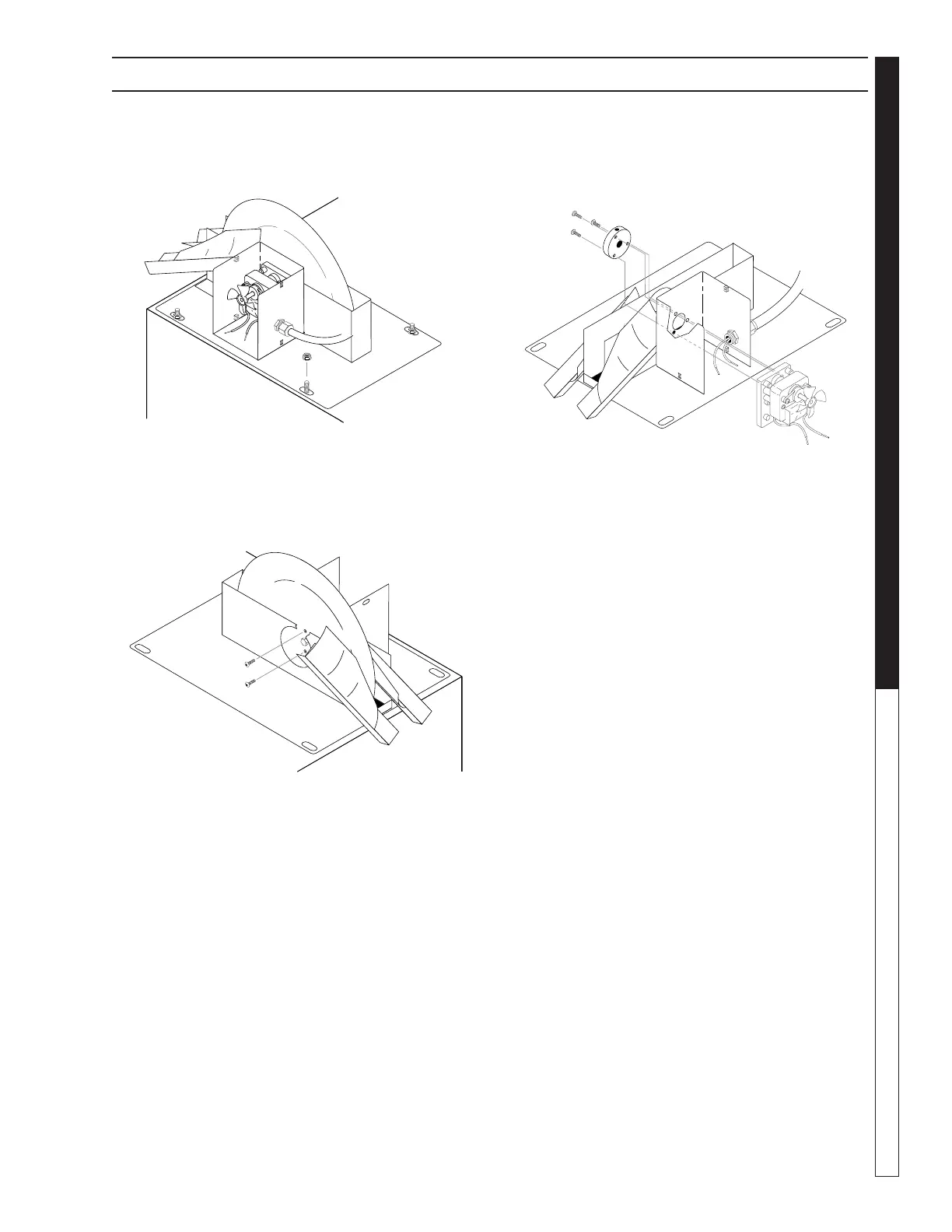
Step 4:
Remove the four 1/2” bolts from the skimmer assembly
mounting plate to remove the skimmer assembly from
the machine (See Figure Below).
Step 5:
Remove the two screws from the center of the skimmer
disk to detach the disk from the skimmer assembly (See
Figure Below). To remove the disk, disengage it from
the center pin, then slide it down.
SECTION 5: MAINTENANCE AND REPAIR
Nut
Screws


 To Next Page