JetCount
®
Currency Counter
All Models
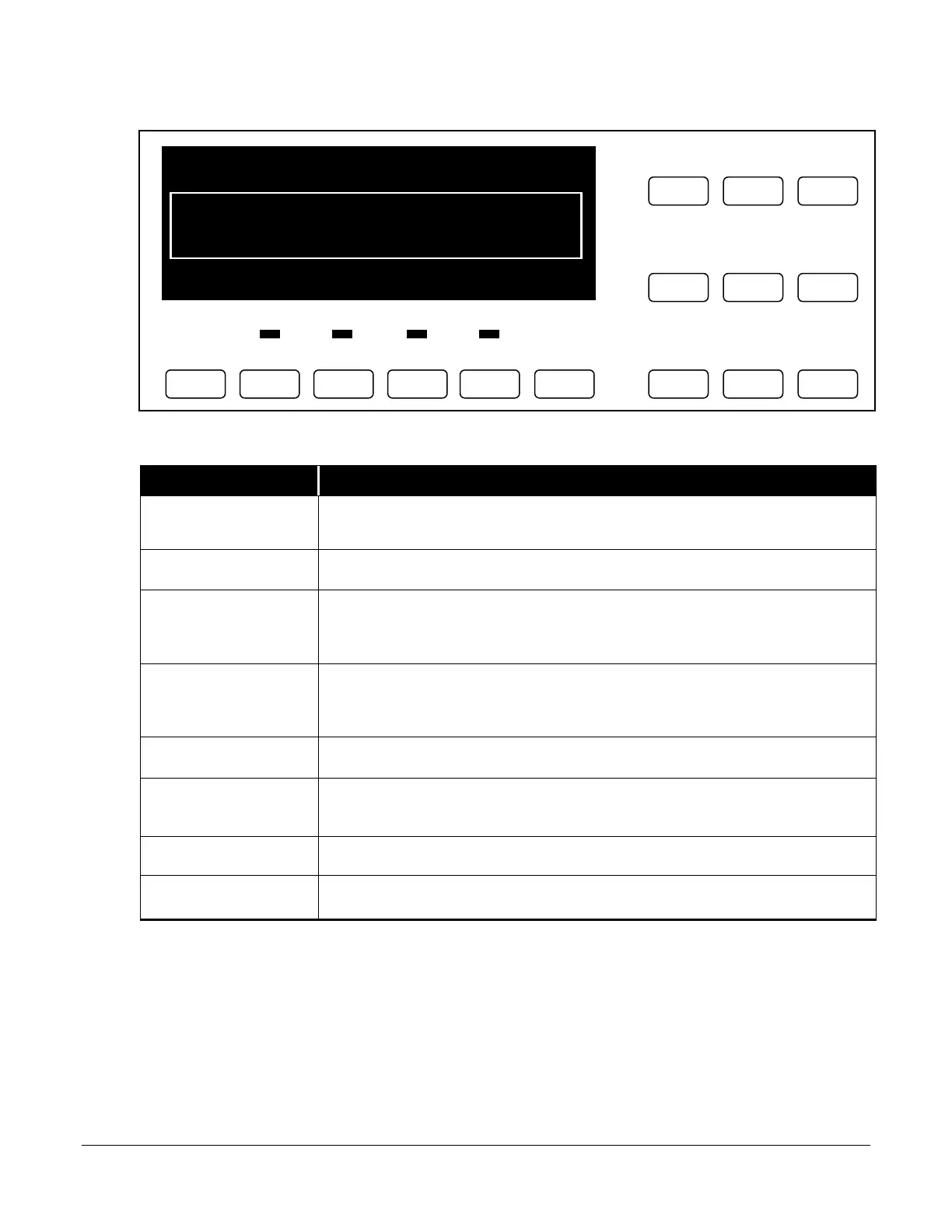
Direct Access Denomination Keys
Key Explanation
RESET
This key is used when clearing counts and restarts the machine after a stopping
condition.
DENSITY
This key is used for setting doubles detection sensitivity by denomination.
STRAP
This key is used for setting a Strap Limit at any preset value (5, 10, 20, 25, 50,
75, 100 or infinity). This key is also used to set strap values at levels other than
the preset values (i.e., 53, 79, etc.)
SD
For models equipped with Magnetic SD (JetCount model 4021) or Magnetic and
UV/FL SD (JetCount model 4022), this key is used to activate suspect document
detection and set sensitivity by denomination.
SPEED
This key is used to set speed at
*
(low),
**
(medium) or
***
(high).
ADD
This key is used for accumulating a total even after notes have been removed
from the stacker. When disabled, totals clear each time the stacker is emptied.
DENOM
This key is used to select the denomination that will be used to count currency.
VALUE
This key is used to toggle between count and note values.
Strap Density Denomination



 To Next Page