EasyManua.ls Logo

CUMMINS ALLISON JetCount 4021 - Default Type Configuration; Factory vs. User Default Settings

CUMMINS ALLISON JetCount 4021
45 pages
Print Icon
To Next Page IconTo Next Page
To Previous Page IconTo Previous Page
Loading...
© 2012 Cummins-Allison Corp.
27
Default Type
Because JetCount can be used in a number of different working environments, it is built with two
pre-programmed default settings: a “Factory” setting and a “User” setting. The “User” setting
allows you to customize the machine’s default settings. After all necessary fields have been
changed, be sure Default Type is set to USER and default the machine in Special Modes Menu to
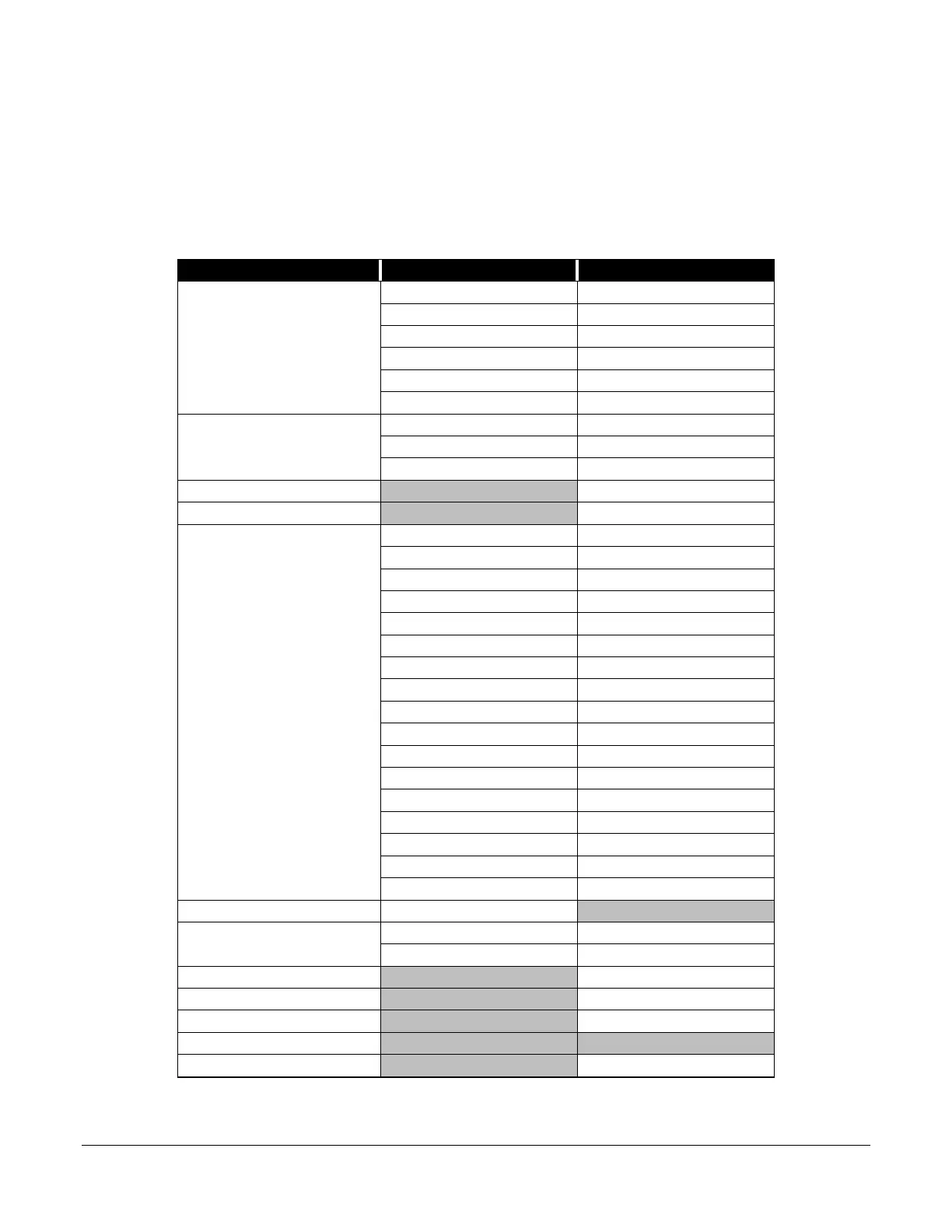
save the new settings. The settings for the preset “Factory” operating modes are shown below:
Status Item
Default Item
Factory
Audio Alarm Status
Jam
On
Half Note On
Suspect Document
Off
Strap Limit
Off
Chain
On
Double
On
Speed
Low 600
Medium
1200
High
1600
Port 1 Status
Off
Port 2 Status
Off
Key Lockout
VALUE
Off
Speed
On
Density
On
Strap
On
ADD
On
SD Off
UV
Off
MAG
Off
DENOM
Off
ADD
Off
Key7 Off
Key 8
Off
Key 9
Off
Key 10
Off
Key 11
Off
Key 12 Off
Key 13
Off
Comm Report
Normal
Options
MAG
Off
UV
Off
SD Function Control On
Function Key Setting
Strap
Printer Type
Generic
Setup Report
Remote Display Count
Value

Related product manuals