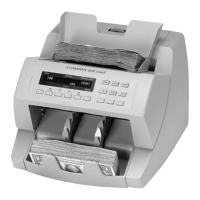
JetCount
®
Currency Counter
All Models
Special Mode Menu
JetCount offers special modes for trained personnel. These modes include SET UP, DEFAULT and
DIAGNOSTICS.
Entering the Special Modes Menu
To enter the Special Modes Menu, hold down KEY 15 for 3-5 seconds. The following screen
will appear:
Strap Density Denomination
1) USER SET UP: press KEY 3
next selection: press KEY 5
Count Speed
Press KEY 3 to enter the Setup Fields. (See Setup Fields.)
Press KEY 5 to proceed to the next Special Mode option:
Strap Density Denomination
next selection: press KEY 5
Count Speed
Press KEY 3 to set the selected default mode as the current operating system.
All Setup Fields will revert to the Factory default settings or the User settings defined in USER
SET UP. Select Default Type in USER SET UP to select the desired Default. (See Setup Fields.)
Press KEY 5 for the following prompt to proceed to the next Special Mode:
Both external ports ARE NOT compatible with phones or network connections,
including Ethernet devices.
Never plug a phone or network connection, including Ethernet devices, into
either external port. Equipment damage may occur.
These special modes only should be accessed by trained personnel. Incorrect use
can negatively impact operation of the JetCount.



 To Next Page