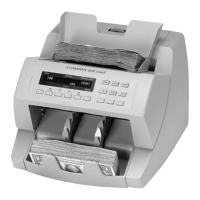
JetCount
®
Currency Counter
All Models
Factory Mode
A special set of pre-programmed defaults for the JetCount Setup Fields.
Hopper
The area on top of the JetCount where documents are placed for processing.
Reset
Key is used to reset counts to zero. The
is also used to restart the
machine after a stopping condition.
Setup Fields
There are pre-operating conditions that can be assigned or controlled by the
operator. Once they are set, they remain set (even if the machine is turned
)
unless reset by re-entering the setup process.
Stacker
The area at the bottom front of the JetCount where processed documents are
delivered.
Strap
The quantity of documents to be prepared for banding.
Suspect Document
Sensitivity
JetCount allows the setting of different sensitivity levels per denomination for
the detection of suspect documents. The lower the sensitivity, the greater the
opportunity to pass a counterfeit note. The higher the sensitivity, the greater the
opportunity to stop on a good (non-counterfeit) note.



 To Next Page