EasyManua.ls Logo

Curtis 1313 - User Manual

Curtis 1313
44 pages
Print Icon
To Next Page IconTo Next Page
Loading...
Manual
Model 1313
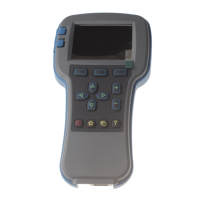
Handheld Programmer
Read Instructions Carefully!
Specications are subject to change without notice.
© 2016 Curtis Instruments, Inc. ® Curtis is a registered trademark of Curtis Instruments, Inc.
© The design and appearance of the products depicted herein are the copyright of Curtis Instruments, Inc. 38798, Rev B 11/16
Curtis Instruments, Inc.
200 Kisco Avenue
Mt. Kisco, NY 10549
www.curtisinstruments.com
Question and Answer IconNeed help?

Do you have a question about the Curtis 1313 and is the answer not in the manual?

Summary

1 Overview

Convenient Parameter Adjustment

Adjust parameters, save as .cpf files, store and restore multiple files.

Real-time Monitoring

Monitor data variables displayed in easy-to-read formats.

Diagnostics and Troubleshooting

Lists faults and provides suggestions for clearing them.

2 Programmer Operation

Connections Overview

Programmer has connectors for motor controller, PC, battery compartment, and memory card slot.

System Connector

Connects programmer to the motor controller via supplied cable.

USB Connector

Connects programmer to a PC via USB cable.

5 Parameters Menu

Parameters Menu Usage

Adjust control system's adjustable parameters using arrow, +/-, and softkeys.

6 Monitor Menu

Monitor Menu Functionality

Provides real-time data from the control system for testing and troubleshooting.

7 Diagnostics Menu

Diagnostics Menu Structure

Contains folders for Present Errors and Fault History.

Present Errors Folder

Lists existing faults chronologically; can only be removed by remedying the fault.

Fault History Folder

Lists all faults since last cleared; can be cleared to start a fresh history.

8 Programming Menu

Programming Menu Overview

Save and restore parameter settings files (.cpf files).

Save.cpf File - Initial

Backs up current parameter settings into a .cpf file.

Save.cpf File - Storage Options

Options for saving .cpf files to internal memory or SD card, including naming and folder creation.

Save.cpf File - Saving Process

Process for saving .cpf files, including progress indicators and completion message.

Restore.cpf File - Selection

Select an earlier saved .cpf file to use in place of the present one.

Restore.cpf File - Confirmation

Confirmation and progress indicators for restoring .cpf files.

10 HHP Settings Menu

HHP Settings Menu Overview

Adjust screen appearance and programmer functionality settings.

Access Level Configuration

Set programmer access level (OEM, Dealer, Service, User).

11 File Manager

File Manager Operations

Create, delete, rename, copy, paste, and move files and folders.

12 Plot & Log

Plot & Log Functionality

Plot real-time variables or create logs for spreadsheet analysis on PC.

15 Working Offline

Working Offline Overview

Perform functions independently of the control system, e.g., load/adjust .cpf files.

16 Updating the Handheld Programmer Software

Software Update Overview

Software updates can be installed via USB or SD card.

Copying Firmware onto Programmer

Copy firmware files from PC to programmer's internal memory or SD card.

Installing Firmware into System

Install new firmware from SD card or internal memory into the controller.

Summary

1 Overview

Convenient Parameter Adjustment

Adjust parameters, save as .cpf files, store and restore multiple files.

Real-time Monitoring

Monitor data variables displayed in easy-to-read formats.

Diagnostics and Troubleshooting

Lists faults and provides suggestions for clearing them.

2 Programmer Operation

Connections Overview

Programmer has connectors for motor controller, PC, battery compartment, and memory card slot.

System Connector

Connects programmer to the motor controller via supplied cable.

USB Connector

Connects programmer to a PC via USB cable.

5 Parameters Menu

Parameters Menu Usage

Adjust control system's adjustable parameters using arrow, +/-, and softkeys.

6 Monitor Menu

Monitor Menu Functionality

Provides real-time data from the control system for testing and troubleshooting.

7 Diagnostics Menu

Diagnostics Menu Structure

Contains folders for Present Errors and Fault History.

Present Errors Folder

Lists existing faults chronologically; can only be removed by remedying the fault.

Fault History Folder

Lists all faults since last cleared; can be cleared to start a fresh history.

8 Programming Menu

Programming Menu Overview

Save and restore parameter settings files (.cpf files).

Save.cpf File - Initial

Backs up current parameter settings into a .cpf file.

Save.cpf File - Storage Options

Options for saving .cpf files to internal memory or SD card, including naming and folder creation.

Save.cpf File - Saving Process

Process for saving .cpf files, including progress indicators and completion message.

Restore.cpf File - Selection

Select an earlier saved .cpf file to use in place of the present one.

Restore.cpf File - Confirmation

Confirmation and progress indicators for restoring .cpf files.

10 HHP Settings Menu

HHP Settings Menu Overview

Adjust screen appearance and programmer functionality settings.

Access Level Configuration

Set programmer access level (OEM, Dealer, Service, User).

11 File Manager

File Manager Operations

Create, delete, rename, copy, paste, and move files and folders.

12 Plot & Log

Plot & Log Functionality

Plot real-time variables or create logs for spreadsheet analysis on PC.

15 Working Offline

Working Offline Overview

Perform functions independently of the control system, e.g., load/adjust .cpf files.

16 Updating the Handheld Programmer Software

Software Update Overview

Software updates can be installed via USB or SD card.

Copying Firmware onto Programmer

Copy firmware files from PC to programmer's internal memory or SD card.

Installing Firmware into System

Install new firmware from SD card or internal memory into the controller.

Curtis 1313 Specifications

General IconGeneral
BrandCurtis
Model1313
CategoryController
LanguageEnglish

Related product manuals