4.3 Adjusting the alignment sensors
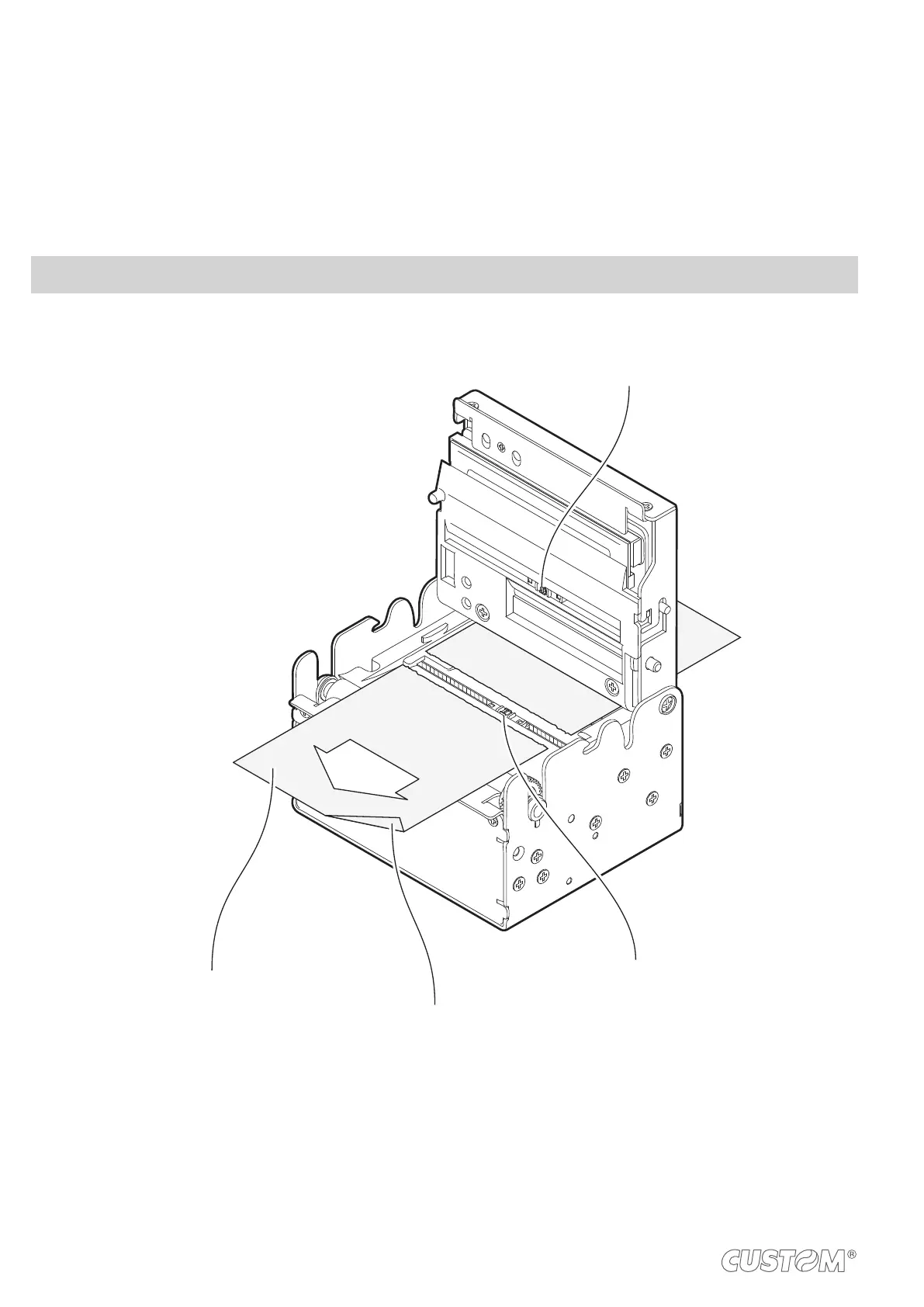
The device is equipped with two mobile sensors for the detection of the alignment black mark placed both on the thermal
The user will need to manually move these mobile sensors according to the position and the type of the black mark on
the paper (see next paragraphs).
To use these sensors, you must set the “Notch/B.Mark Position” setup parameter on the correct value (see Chapter 5).
NOTE: For some models, only the internal printer group is represented.
direction
of
paper feed
NON-THERMAL SIDE
THERMAL SIDE
LOWER
MOBILE SENSOR
UPPER
MOBILE SENSOR
46


 To Next Page