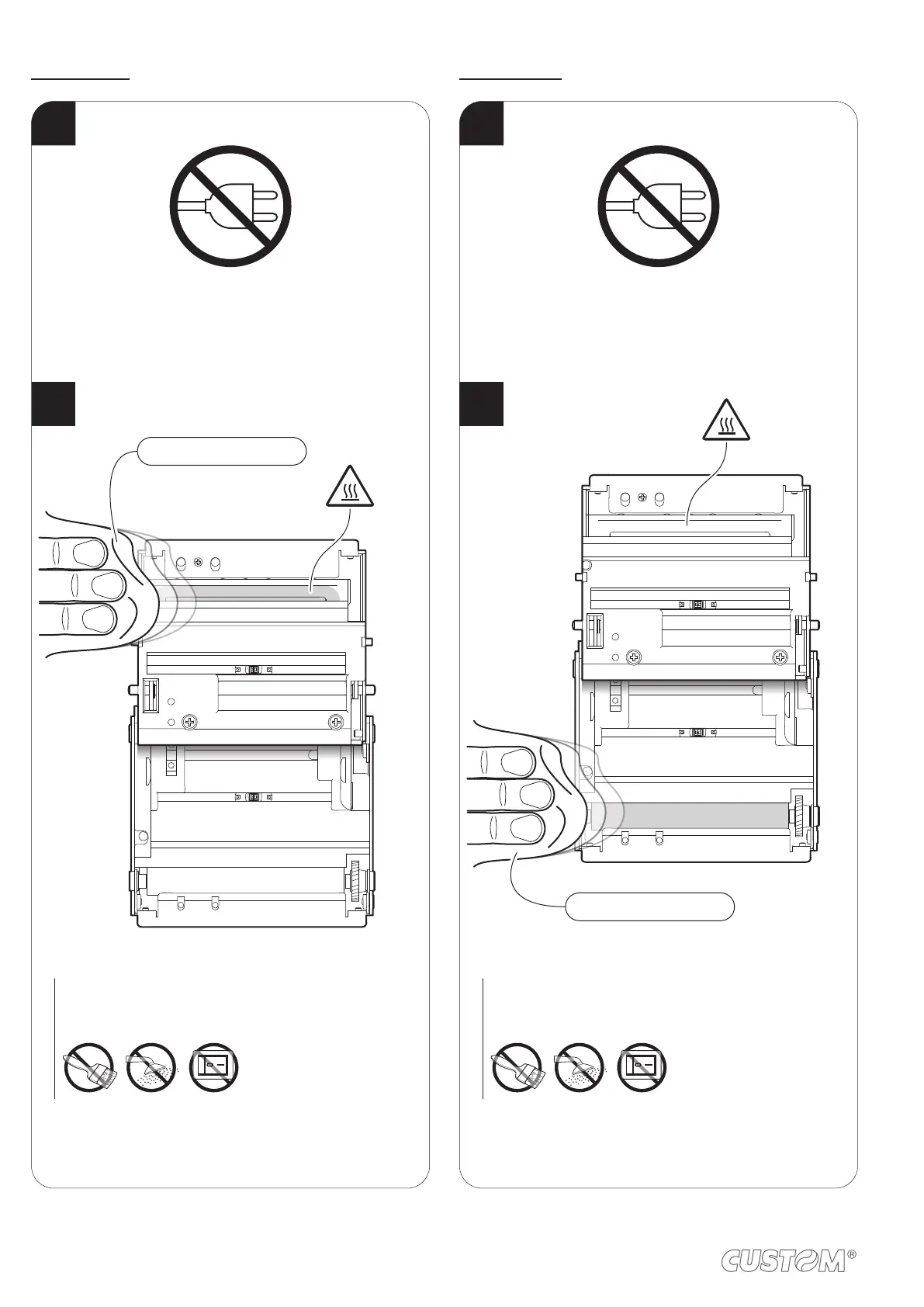
Printing head
1
Disconnect the power supply cable and
open the device cover (see par.4.1).
2
Clean the printing head by using
a non-abrasive cloth moistened with isopropyl.
ISOPROPYL ALCOHOL
ATTENTION:
Do not use solvents, or hard brushes.
Do not let water or other liquids get inside the machine.
ON
Printing roller
1
Disconnect the power supply cable and
open the device cover (see par.4.1).
2
Clean the printing roller by using
a non-abrasive cloth moistened with isopropyl.
ATTENTION:
Do not use solvents, or hard brushes.
Do not let water or other liquids get inside the machine.
ON
ISOPROPYL ALCOHOL
76


 To Next Page