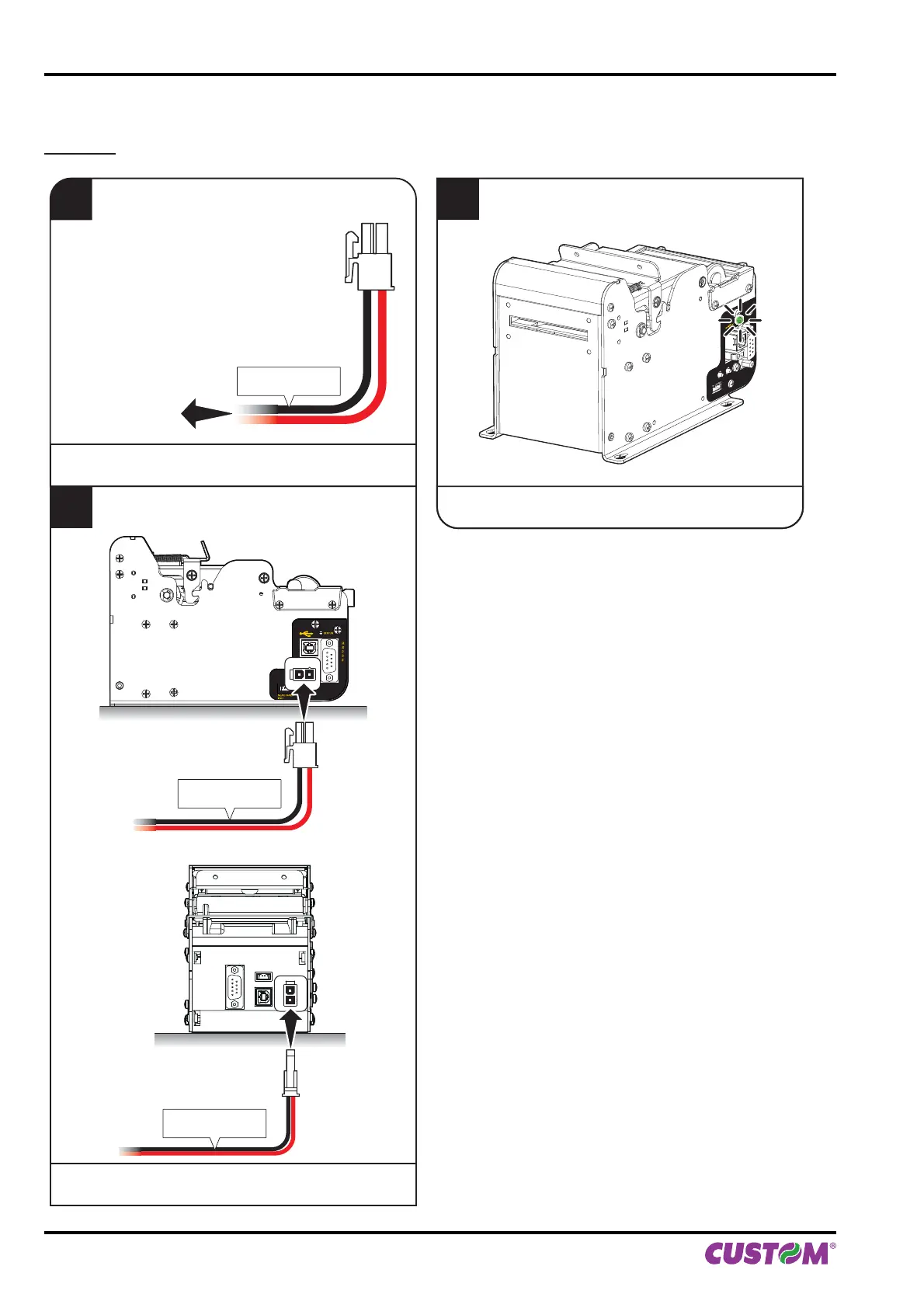
4.3 Turning on the device
KPM150H
1
Connect the power supply cable (supplied)
to an external power supply unit (optional).
Power Supply cable
(supplied)
model with rear connectors
2
Connect the power supply cable to the printer
connector (see par.3.3).
standard model
3
The green led turns on
and the printer is ready.
STATUS
NEAR PAPER
END
FF
LF
STATUS
EXTERNAL
POWER SUPPLY
UNIT (OPTIONAL)
Power Supply cable
(supplied)
Power Supply cable
(supplied)
4. OPERATION
46 KPM150H-AERO User manual



 To Next Page