6 MAINTENANCE
6.1 Paper jam
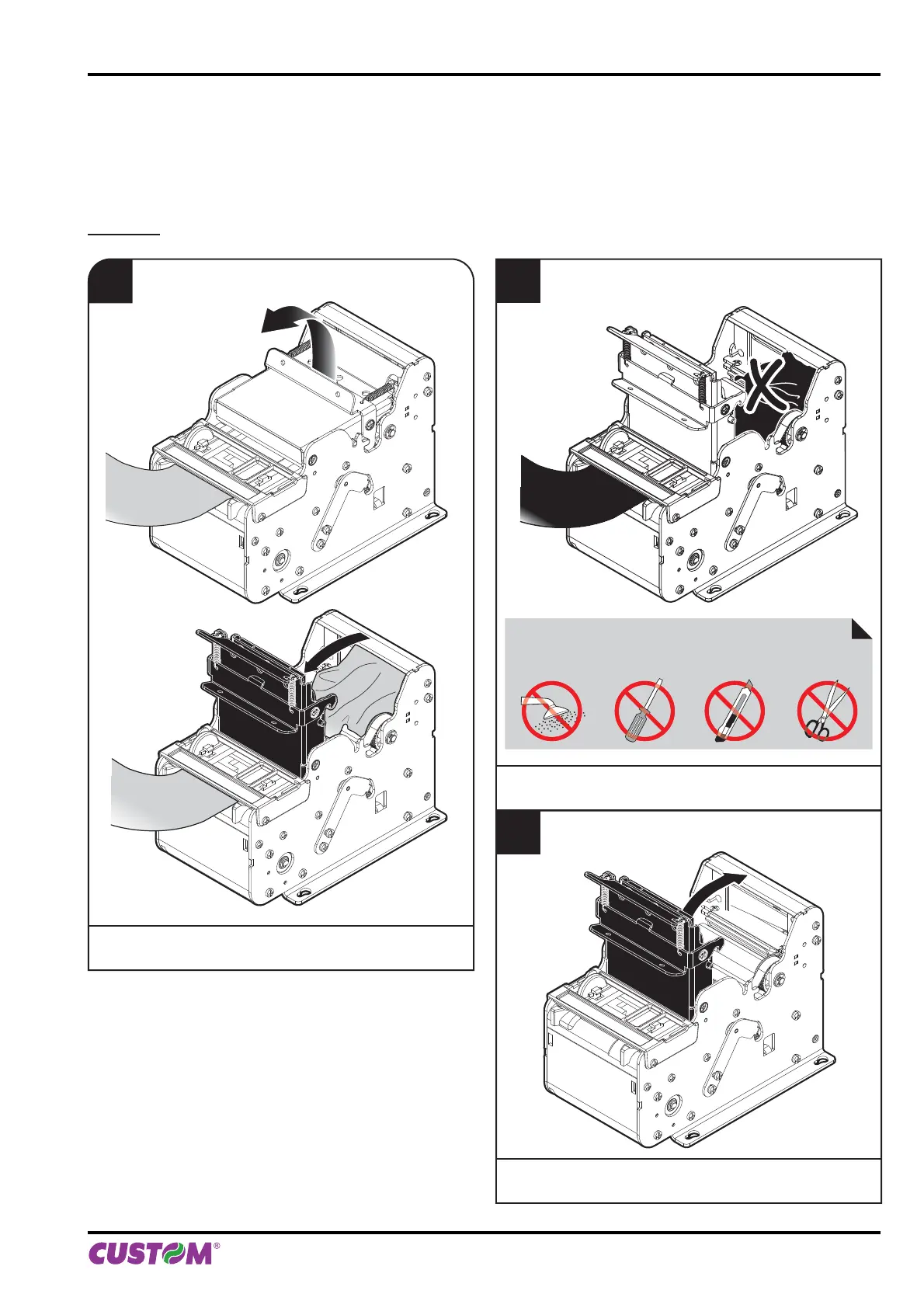
In case of paper jam proceed as follows:
KPM150H
1
Open the printer cover
to the vertical up position.
2
Remove the damaged paper
and check
the presence for paper scraps in the printer.
ATTENTION:
Do not let water or other liquids get inside the device.
Do not insert any kind of object inside the device.
3
Close the printer cover.
6. MAINTENANCE
User manual KPM150H-AERO 67



 To Next Page