B202H (models witht RFID reader)
2
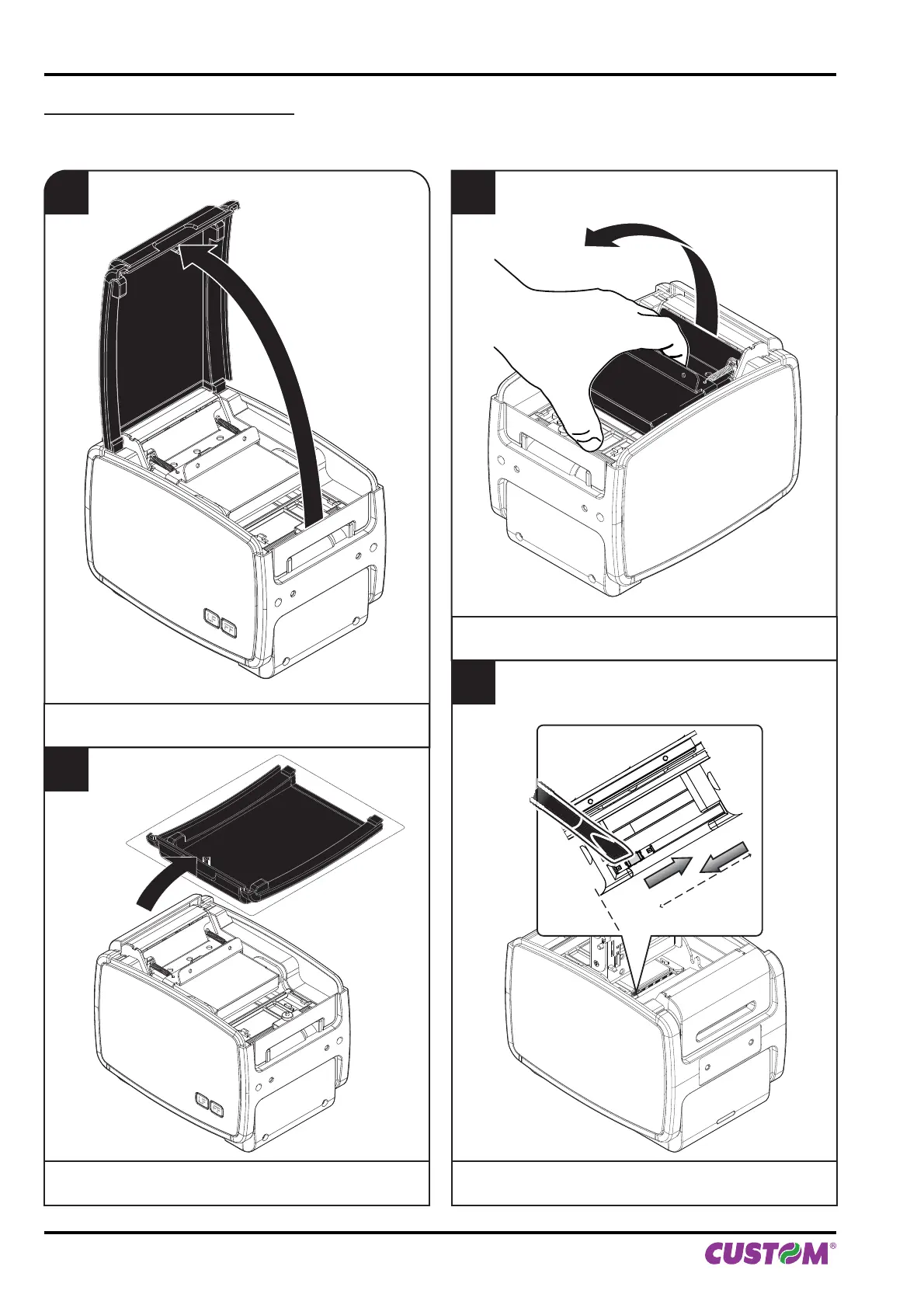
Place the cover on a even surface.
4
Adjust the position of lower mobile sensor of notch
(see previous paragraphs).
1
Lift the palstic cover.
FF
LF
FF
LF
3
Open the paper compartment cover.
4. OPERATION
52 KPM150H-AERO User manual



 To Next Page