B202H
2
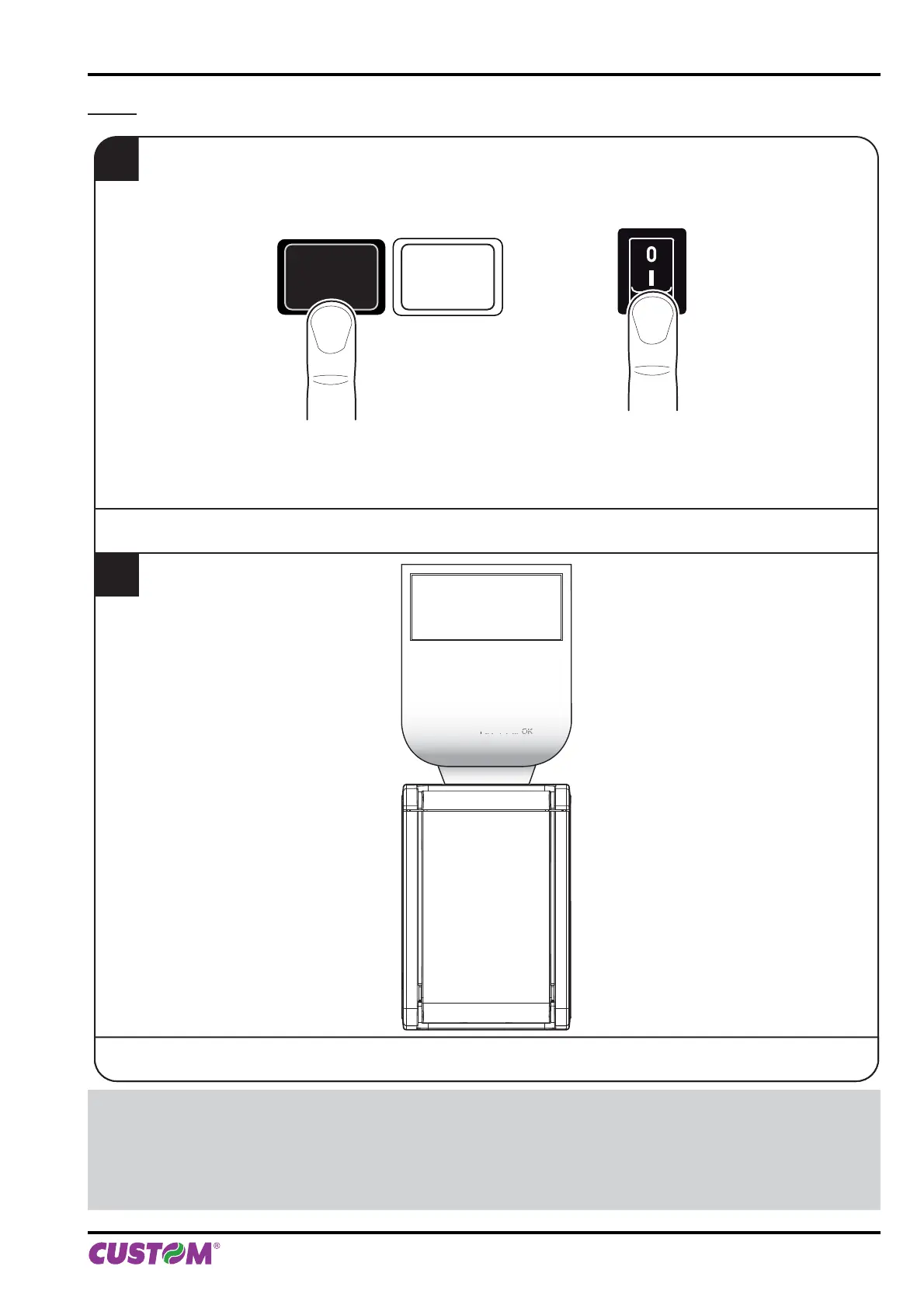
The device prints a SETUP report.
1
During power-up, hold down the LINE FEED key.
LINE FEED KEY ON/OFF KEY
+
FFLF
PRINTER
ETTIN
PRINTER TYPE ........................... KPM1
Barcode Reader...........................Not present
RFID Module ................................ Not present
PRINTING HEAD TYPE............... SHECT56
INTERFACE .................................RS232
PROGRAM MEMORY TEST......
KPM150H AERO ST
SCODE: < code > - rel 1.00
BCODE: < code > - rel 1.00
FCODE: < code > - rel 1.00
mCODE: < code > - rel 1.00
UCODE: < code > - rel 1.00
DCODE: < code > - rel 2.00
CPLD - rel 1.10
NOTE:
During power-up, if the LINE FEED key is held down, the printer enters the auto-test routine and prints out the setup
report. The printer will remain in standby in Hexadecimal dump mode (see following paragraphs) until another key
is pressed or characters are received through the printer communication port.
When the LINE FEED key is pressed, the printer enters parameter confi guration.
When the FORM FEED key is pressed, the printer exits setup and terminates the Hexadecimal dump function.
5. CONFIGURATION
User manual KPM150H-AERO 57



 To Next Page