5
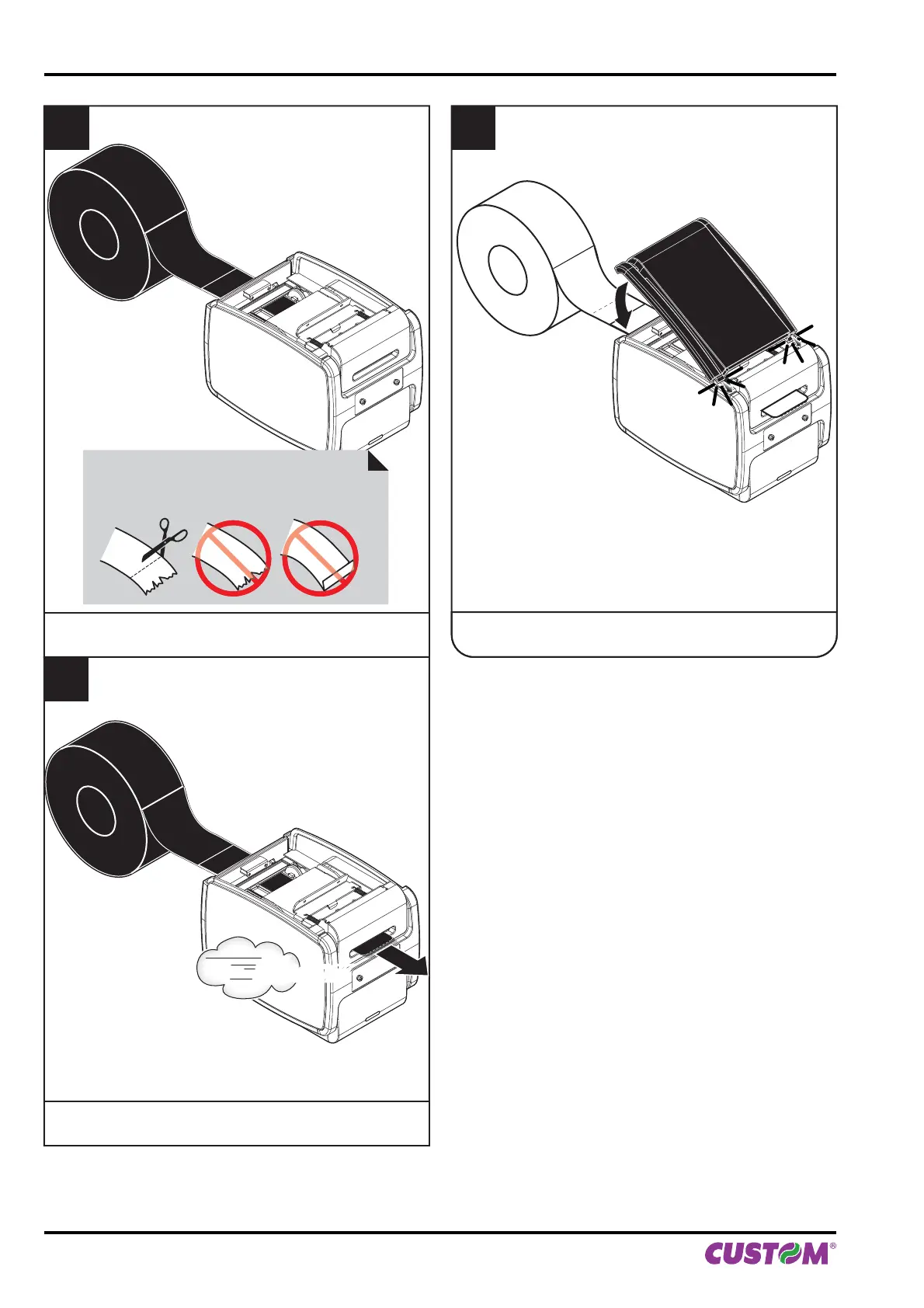
Insert the not damaged paper edge into the feed slot
(place the roll, so that it unrolls correctly).
7
Insert the plastic upper cover and lower it
to close the printer.
6
Wait for the paper to load automatically.
VROOM
ATTENTION:
Make sure the cut is straight.
6. MAINTENANCE
70 KPM150H-AERO User manual



 To Next Page