4. Enter the SETUP procedure and set the “Service”
value for the “Emulation” parameter (see chapter 5).
5. Switch off the printer.
6. Connect the printer to the PC using a USB cable (see
par.3.2).
7. Switch ON the printer.
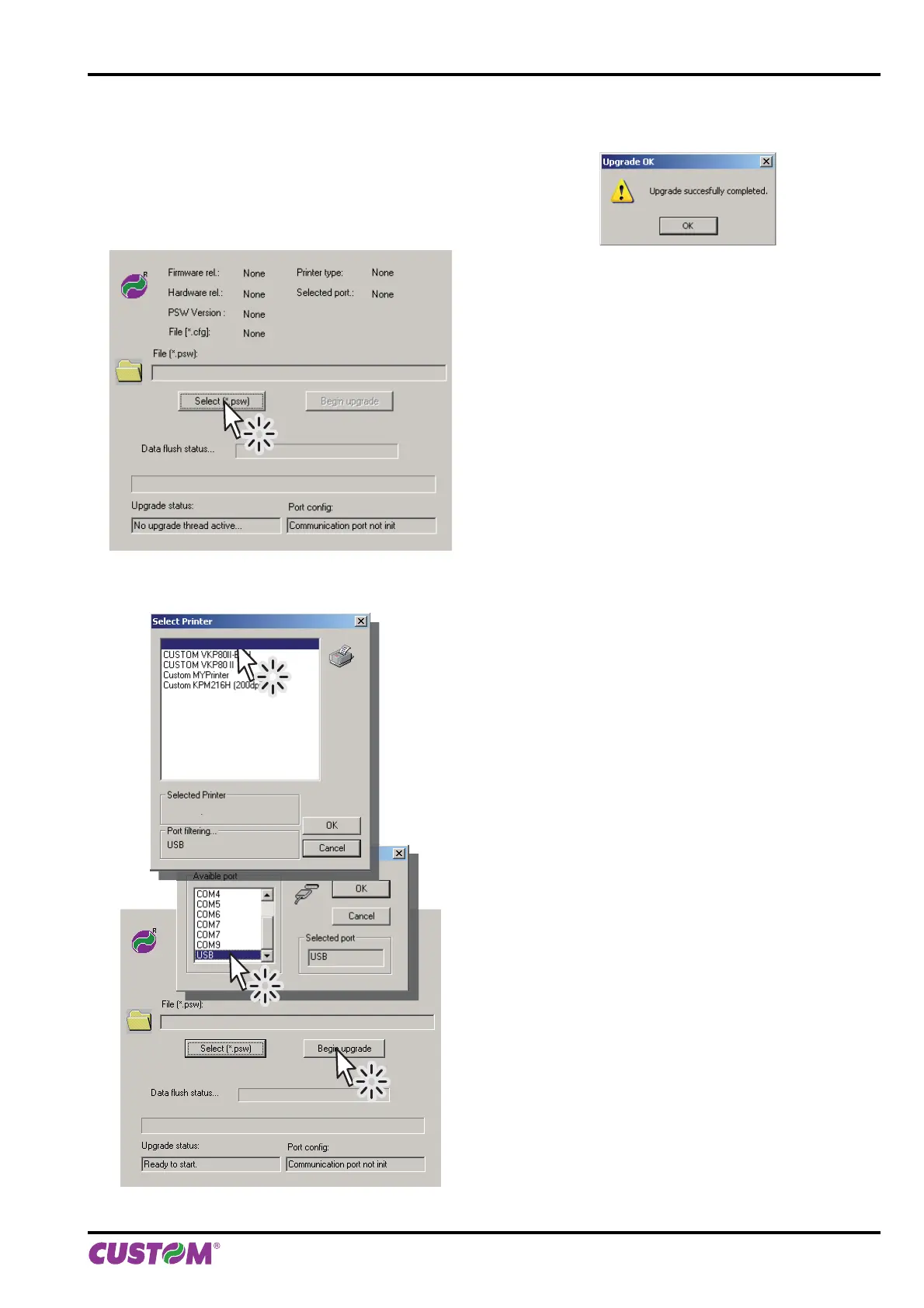
8. Start the software UPGCEAERO.
9. Select the update fi le .PSW location:
10. Select item USB and then select the USB device
among those proposed (e.g.KPM150H):
C:\VKP80III.PSW
Custom KPM150H
Custom KPM150H
C:\KPM150H.PSW
11. After a few minutes a message on the screen warns
that the update is completed.
6. MAINTENANCE
User manual KPM150H-AERO 79



 To Next Page