B202H
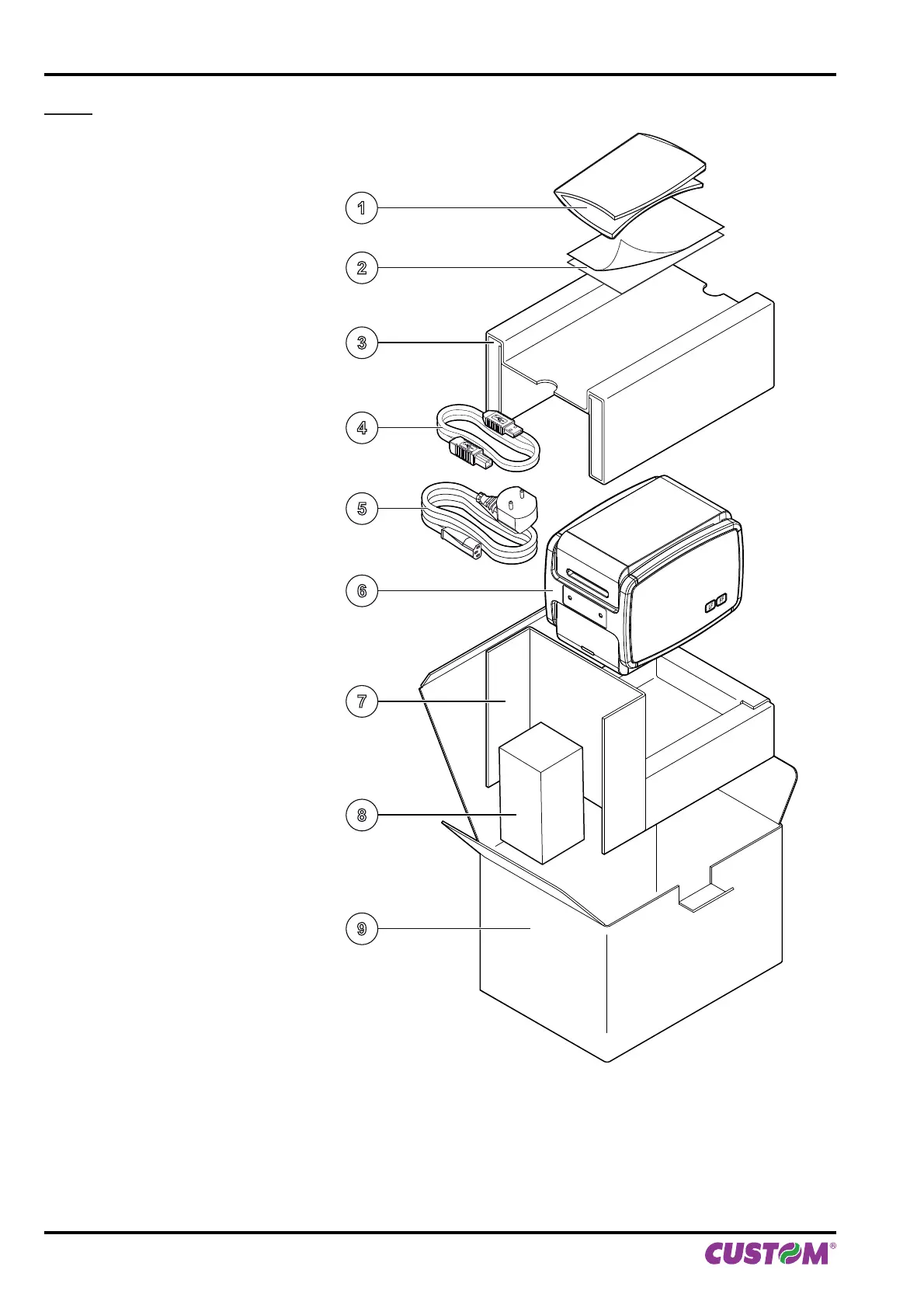
1. User manual
2. Installation instructions
3. Upper foam packing shell
4. USB cable
5. Power supply cable 24Vdc
6. Printer
7. Bottom foam packing shell
8. Power supply
9. Box
• Open the printer packaging
• Remove the upper packing frame content and remove the upper packing frame.
• Take out the printer.
• Keep the box, trays and packing materials in the event the printer must be transported/shipped in the future.
LF
FF
1
2
3
4
5
6
7
8
9
2. DESCRIPTION
10 KPM150H-AERO User manual



 To Next Page