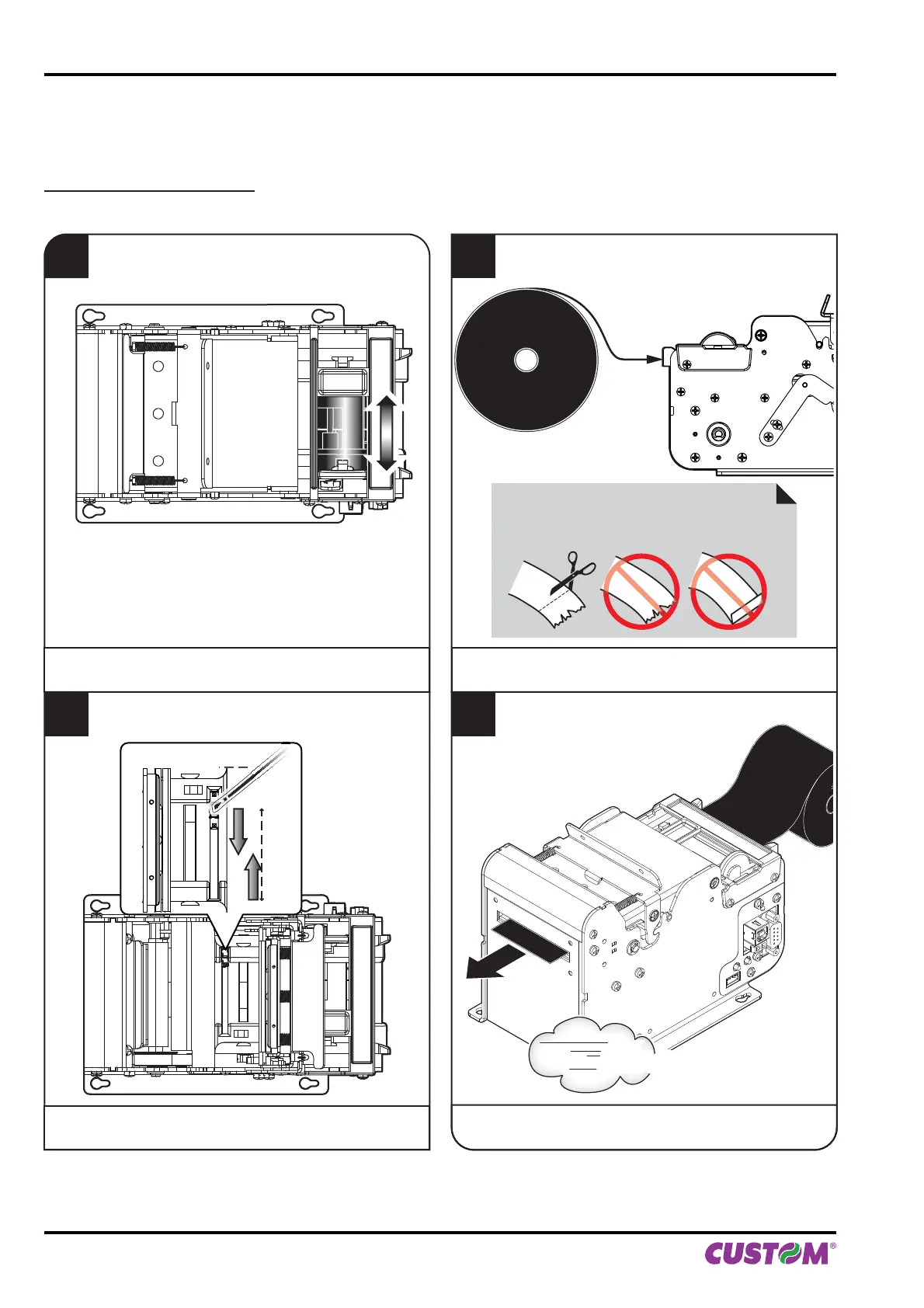
4.4 Paper roll insertion
Each time you change the paper, check inside the printer. To change the paper roll proceed as follows:
KPM150H (standard models)
1
Adjust the paper width
(see previous paragraphs).
2
Adjust the notch sensor position
(see previous paragraphs).
3
Insert the paper edge into the feed slot
(place the paper roll so that it unrolls correctly).
ATTENTION:
Make sure the cut is straight.
4
Wait for the paper to load automatically.
VROOM
4. OPERATION
48 KPM150H-AERO User manual



 To Next Page