5 CONFIGURATION
5.1 Confi guration mode
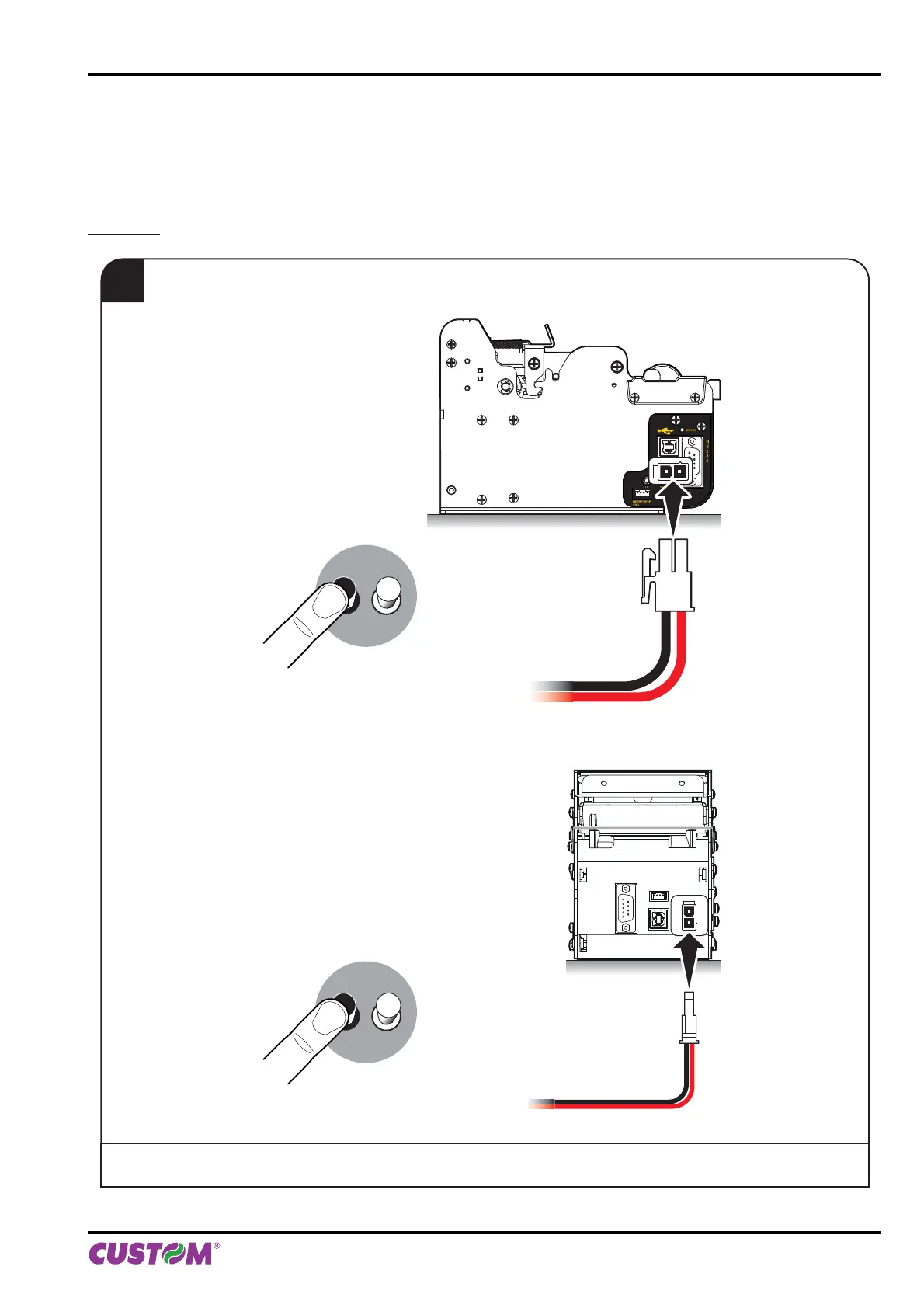
To enter the confi guration mode and print a setup report with the operating parameters of the printer, proceed as follows.
KPM150H
1
During power-up, hold down the LINE FEED key while
the wiring is plugged into the power supply connector of the printer.
standard model
model with rear connectors
LF FF
+ POWER SUPPLYLINE FEED KEY
(hold down)
LF FF
+ POWER SUPPLYLINE FEED KEY
(hold down)
5. CONFIGURATION
User manual KPM150H-AERO 55



 To Next Page