4 OPERATION
4.1 Adjusting paper width
KPM150H (standard models), B202H (standard models)
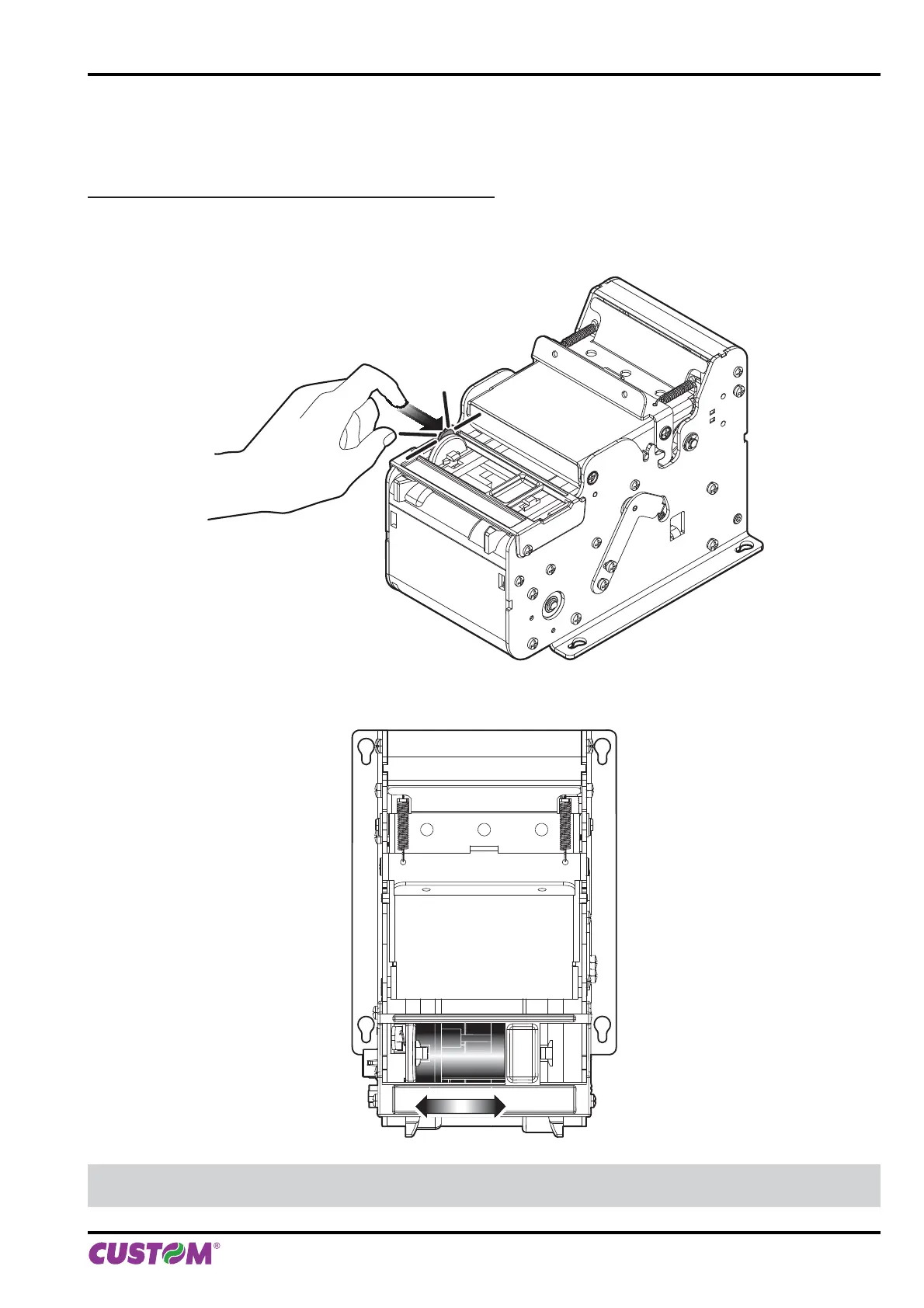
Paper width may be adjusted from 20mm to 54mm using the lever of paper mouth guide located at the paper infeed
opening as shown in the following fi gure.
To manage paper width from 20mm to 54mm, press the lever of paper mouth guide and move it in according to type
of paper used (see following fi gure).
NOTE:
For ease of reference, for some models is represented only the printer group without the external plastic chassis.
4. OPERATION
User manual KPM150H-AERO 39



 To Next Page