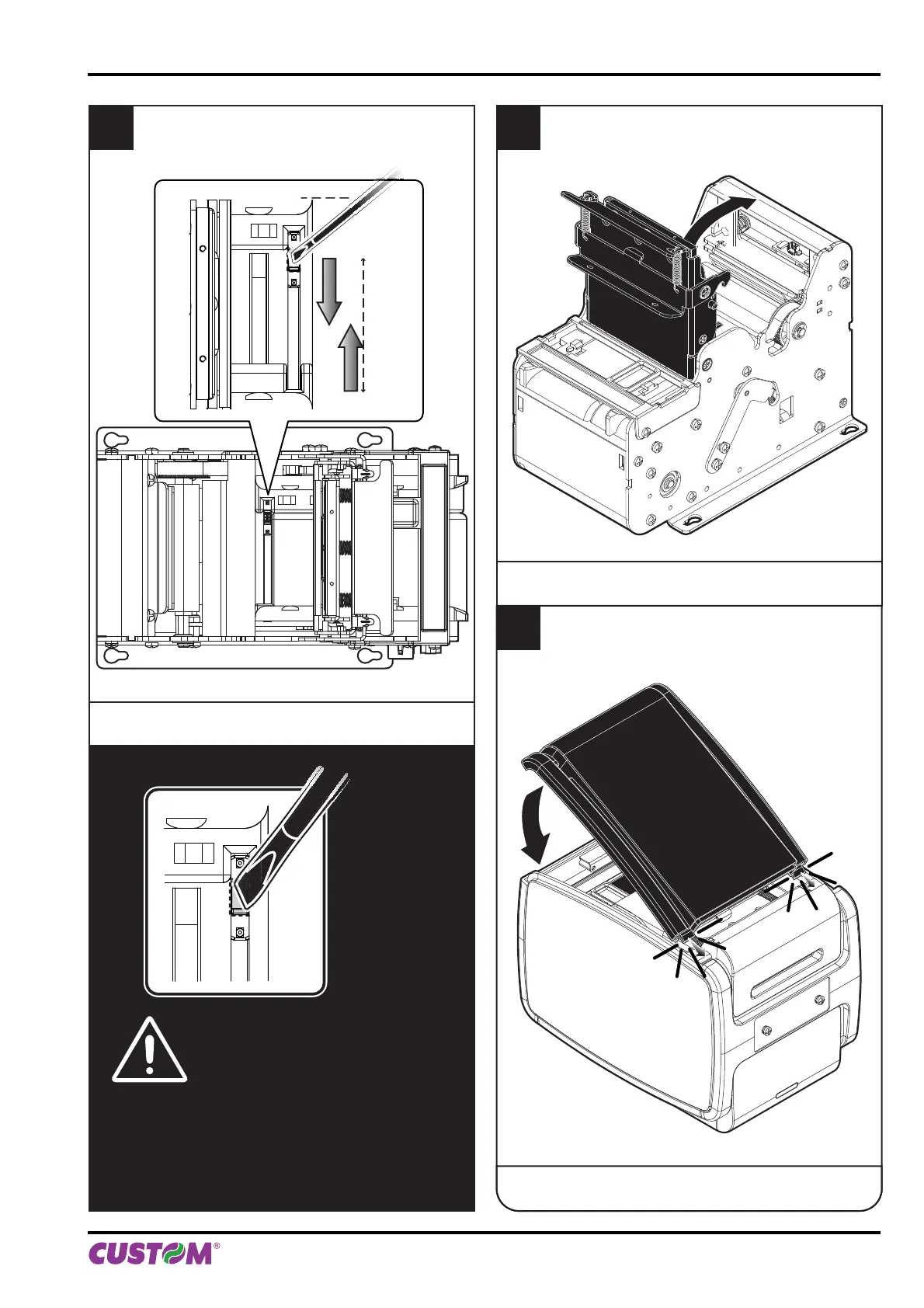
ATTENTION:
To avoid damaging the sensor, not to
apply too much force in moving the
sensor inside its sliding guide.
4
Move the lower sensor to the desired position
using a small screwdriver or a pencil.
5
Close the printing head group.
6
Insert the plastic upper cover and lower it
to close the printer.
for B202H
4. OPERATION
User manual KPM150H-AERO 45



 To Next Page