2
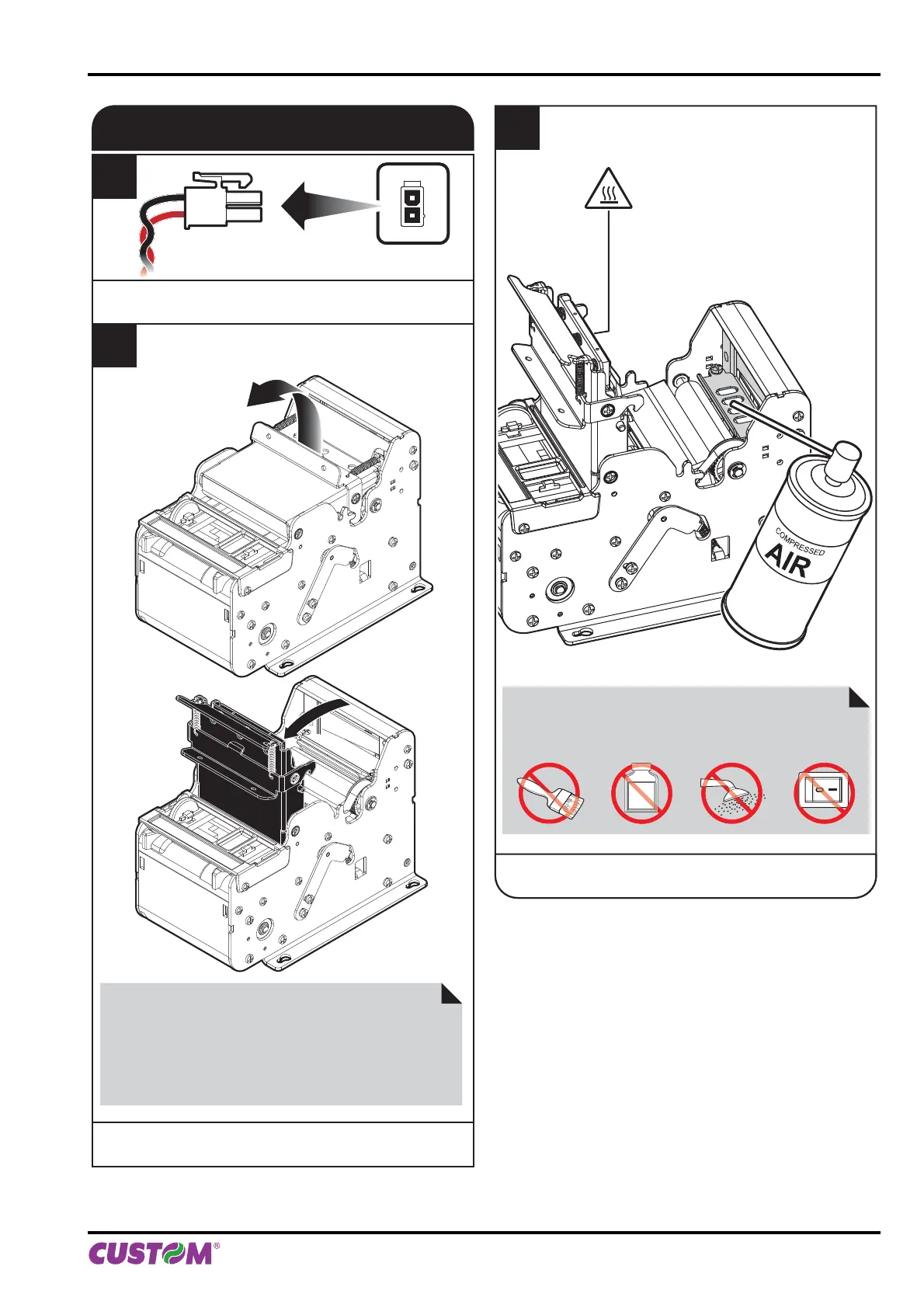
Open the printer cover
to the vertical up position.
CUTTER
1
Disconnect the power supply cable.
3
Clean the cutter
by using compressed air.
ATTENTION:
Do not use alcohol, solvents, or hard brushes.
Do not let water or other liquids get inside the machine.
ON
Alcohol, solvent
ATTENTION:
Do not touch the head heating line with bare hands or
metal objects.
Do not perform any operation inside the printer immedi-
ately after printing because the head and motor tend to
become very hot.
6. MAINTENANCE
User manual KPM150H-AERO 73



 To Next Page