2
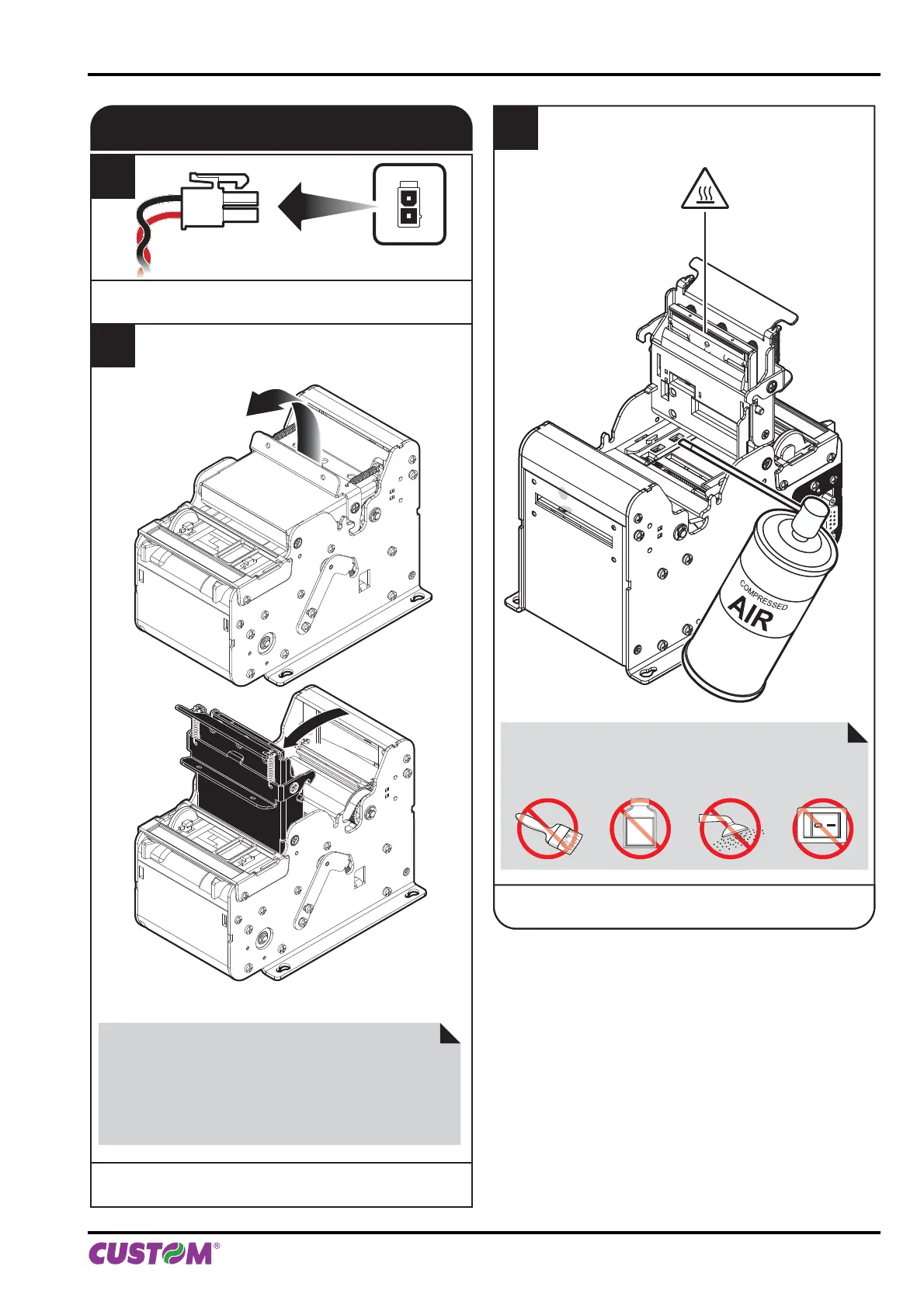
Open the printer cover
to the vertical up position.
SENSORS
1
Disconnect the power supply cable.
3
Clean the printer sensors
by using compressed air.
ATTENTION:
Do not touch the head heating line with bare hands or
metal objects.
Do not perform any operation inside the printer immedi-
ately after printing because the head and motor tend to
become very hot.
ATTENTION:
Do not use alcohol, solvents, or hard brushes.
Do not let water or other liquids get inside the machine.
ON
Alcohol, solvent
NEAR PAPER
END
FF
LF
STATUS
6. MAINTENANCE
User manual KPM150H-AERO 75



 To Next Page