18
EXCEL V+ OPERATOR MANUAL
D2325, REV A, 2/19
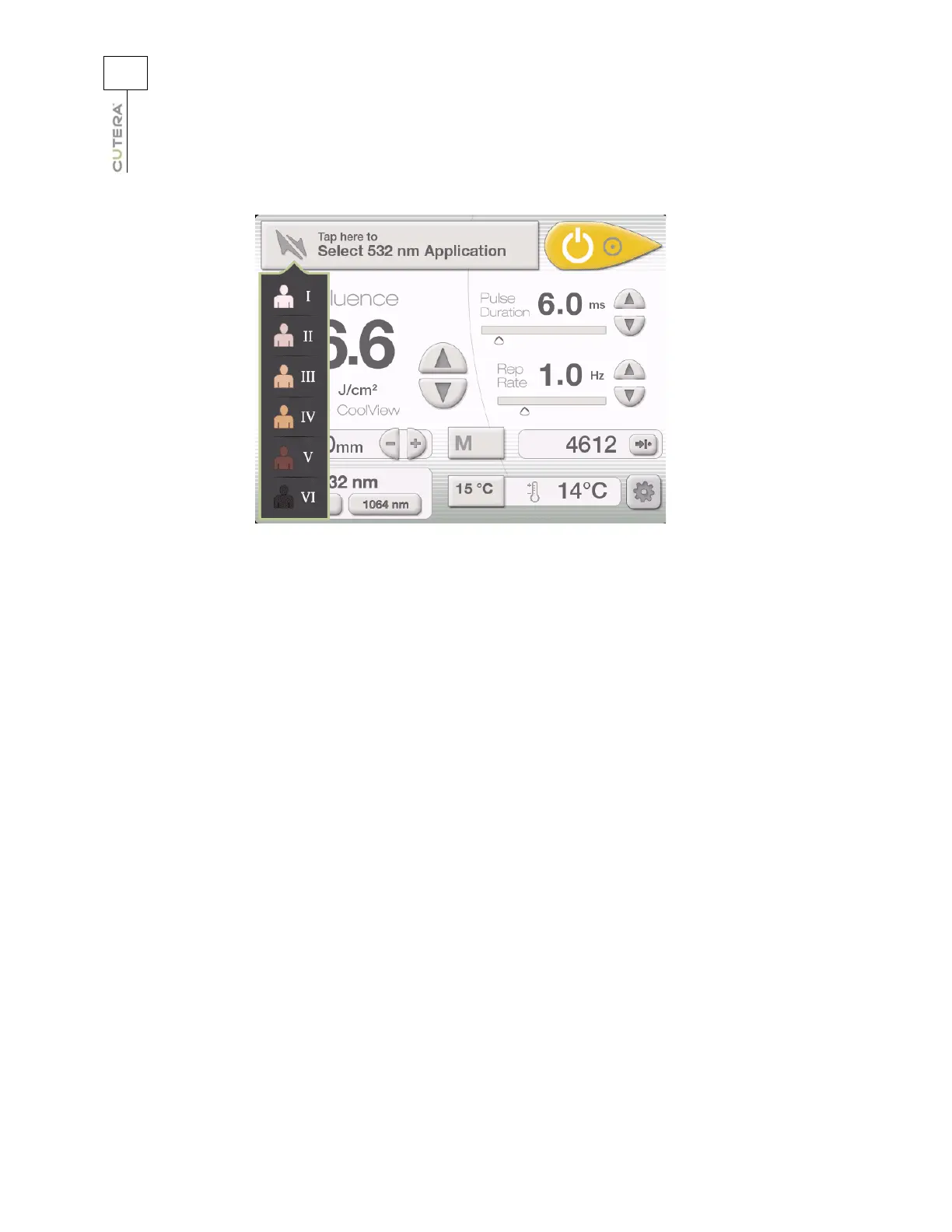
From the CoolView Treatment Screen, you can:
• select the skin type, treatment category, and treatment subcategory (navigation mode only;
refer to the Selecting Treatment Parameters in Navigation Mode topic)
• select the wavelength (refer to the User-selectable Parameters topic)
• select the fluence, pulse duration, and repetition rate (refer to the User-selectable
Parameters topic)
• make coarse adjustments to the laser spot size (refer to the User-selectable Parameters
topic)
• adjust the temperature of the sapphire cooling window (refer to the User-selectable
Parameters topic)
• view the actual temperature of the sapphire cooling window (refer to the User-selectable
Parameters topic)
• store and recall frequently used treatment parameters (refer to the Memory Storage topic)
• select the system status (refer to the System Status: STANDBY and READY Modes topic)
• view and reset the pulse counter (refer to the Displays and Indicators topic)
• go to the Information & Adjustment Screen (refer to Information & Adjustment Screen topic)
CoolView Treatment Screen in Navigation Mode



 To Next Page