25
EXCEL V+ OPERATOR MANUAL
D2325, REV A, 2/19
Aiming Beam
All aiming beam functions are controlled from the Information & Adjustment Screen. There are four
intensities in continuous and blink modes, as well as an OFF mode. To adjust the aiming beam intensity
and mode:
1. Press the (info) button on the Treatment Screen to go to the Information & Adjustment
screen.
2. Point the handpiece at the targeted treatment site.
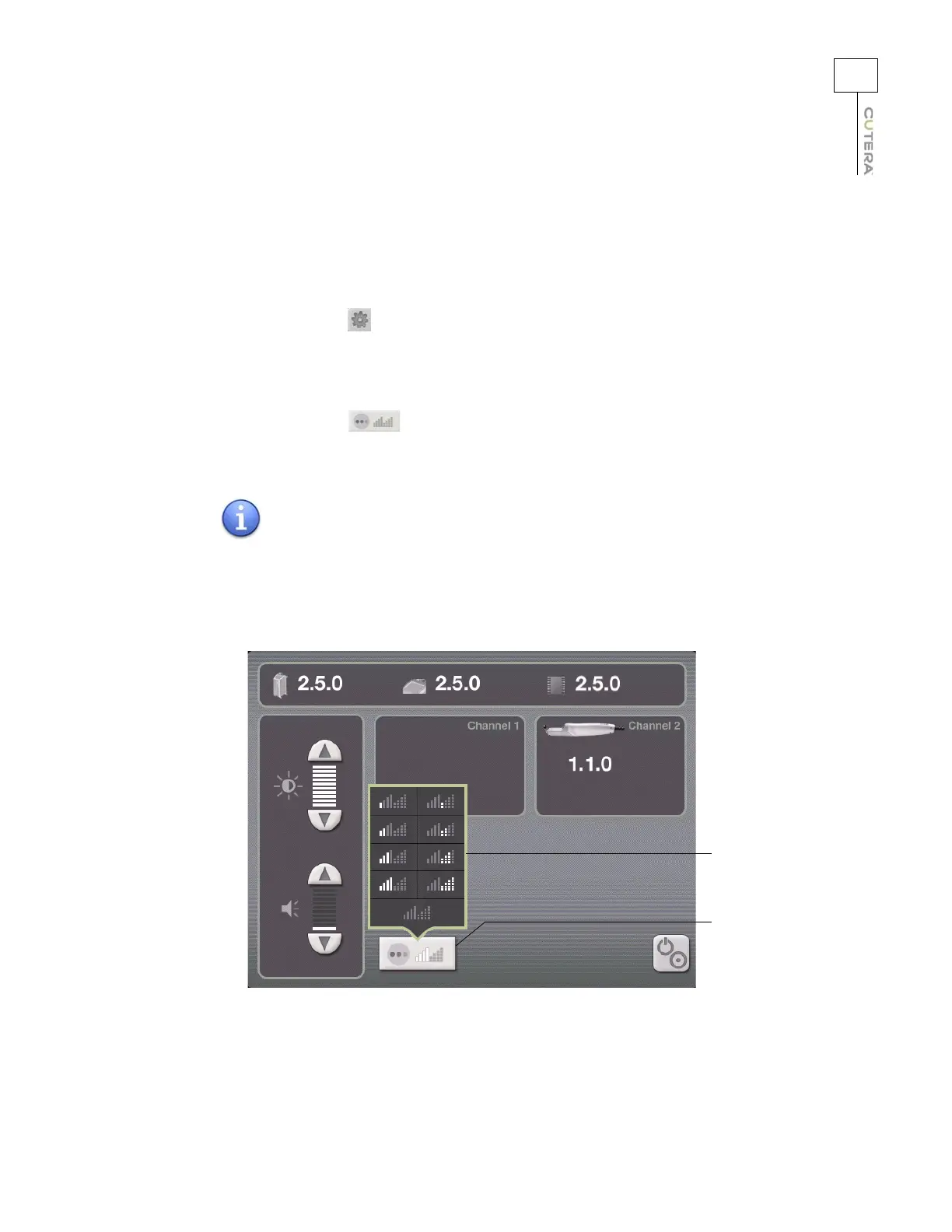
3. Press the (aiming beam) button to display the aiming beam pop-up window.
4. Select the desired aiming beam setting from the aiming beam pop-up window.
NOTE
The aiming beam is wavelength-specific, allowing you to set
different aiming beam characteristics for the 532 nm and 1064 nm
wavelengths.
Location of Aiming Beam Button
(CoolView Information & Adjustment Screen shown)
Aiming beam
pop-up window
Aiming beam
pop-up window
Aiming beam
button



 To Next Page