38
EXCEL V+ OPERATOR MANUAL
D2325, REV A, 2/19
Selecting the Laser Wavelength
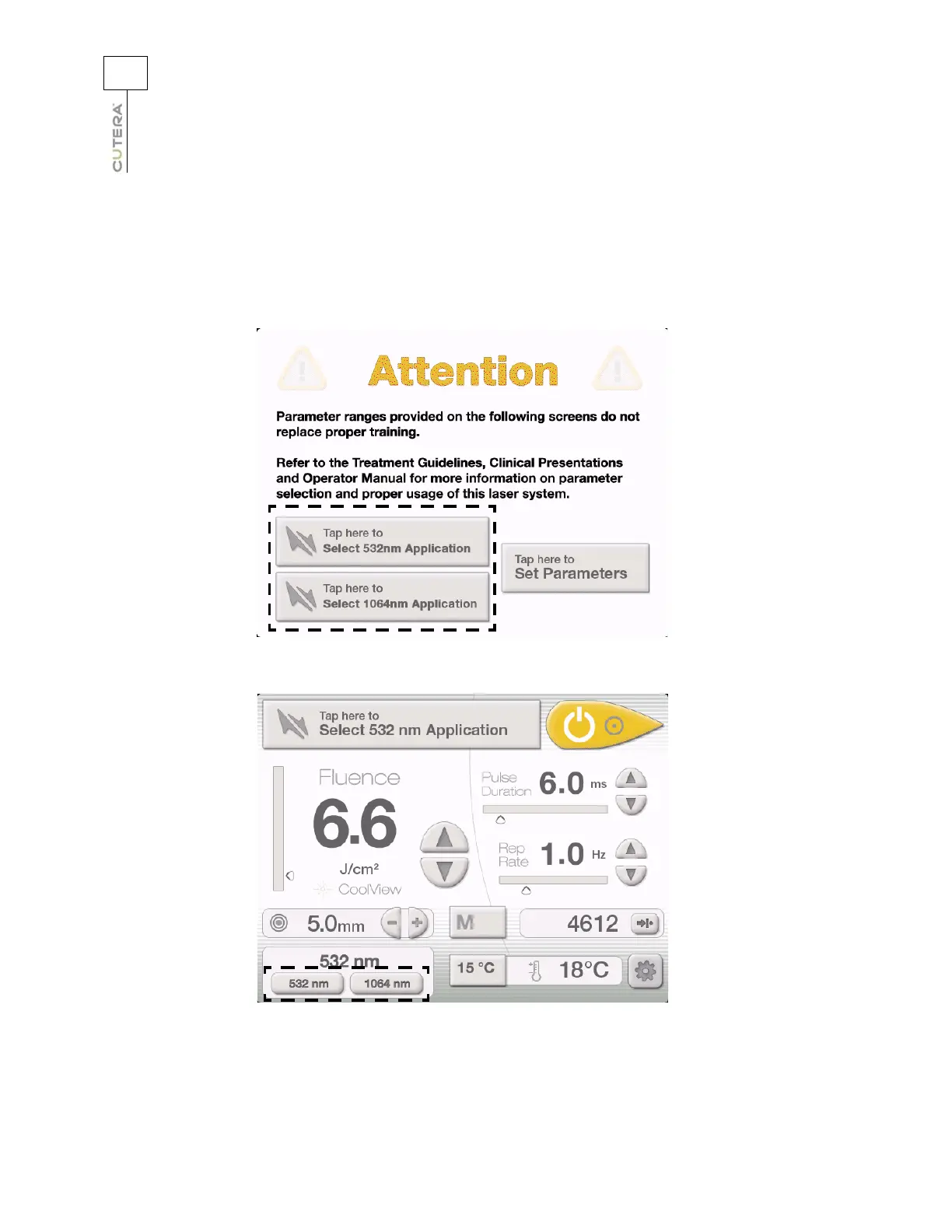
The excel V+ features two wavelengths: 532 nm and 1064 nm. To select the wavelength from the
CoolView Select Screen, press the “Tap here to Select 532nm Application” or “Tap here to Select
1064nm Application” button. To select the wavelength from the CoolView Treatment Screen, press the
“532 nm” or “1064 nm” button at the bottom left corner of the screen.
Location of Wavelength Selection Buttons on CoolView Select Screen
Location of Wavelength Selection Buttons on CoolView Treatment Screen



 To Next Page