35
EXCEL V+ OPERATOR MANUAL
D2325, REV A, 2/19
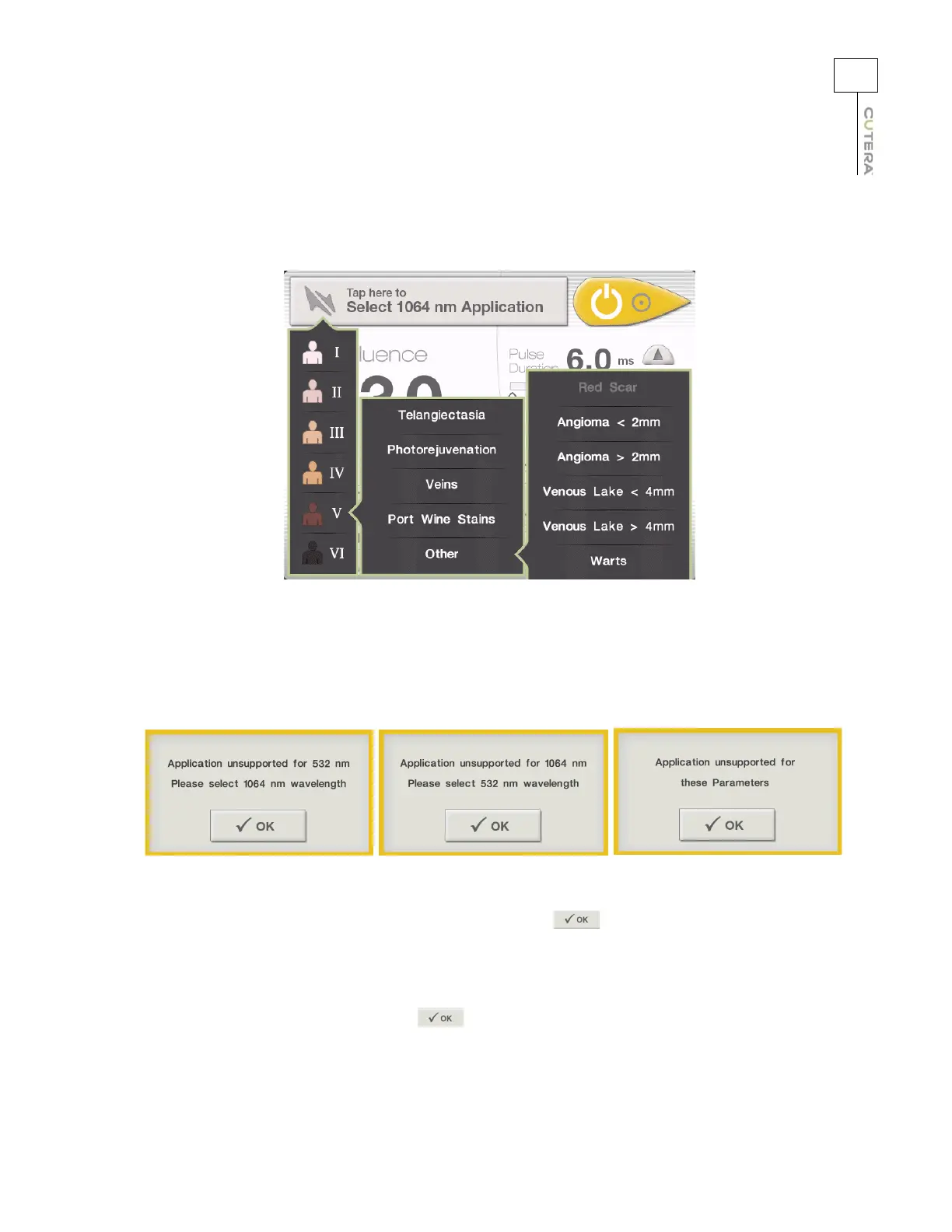
Not all navigation selections are available for all combinations of wavelength, skin type and/or treatment
category. If a navigation selection is unavailable, it is greyed out, as shown in the example below:
If you attempt to select a treatment category or subcategory that is unavailable, one of the following pop-
up messages displays:
The first two pop-up messages indicate that the desired application is unsupported for the currently
selected wavelength. Clear the message by pressing the button, and then select the alternate
wavelength by pressing the appropriate wavelength button at the bottom left corner of the CoolView
Treatment Screen.
The third pop-up message indicates that the desired application is unsupported for both wavelengths.
Clear the message by pressing the button, and then select a different combination of skin type,
treatment category and treatment subcategory, or switch to expert mode to manually set the treatment
parameters.
Example of Unavailable Navigation Selection (i.e., Red Scar subcategory)



 To Next Page