64
HARDWARE INSTALLATION
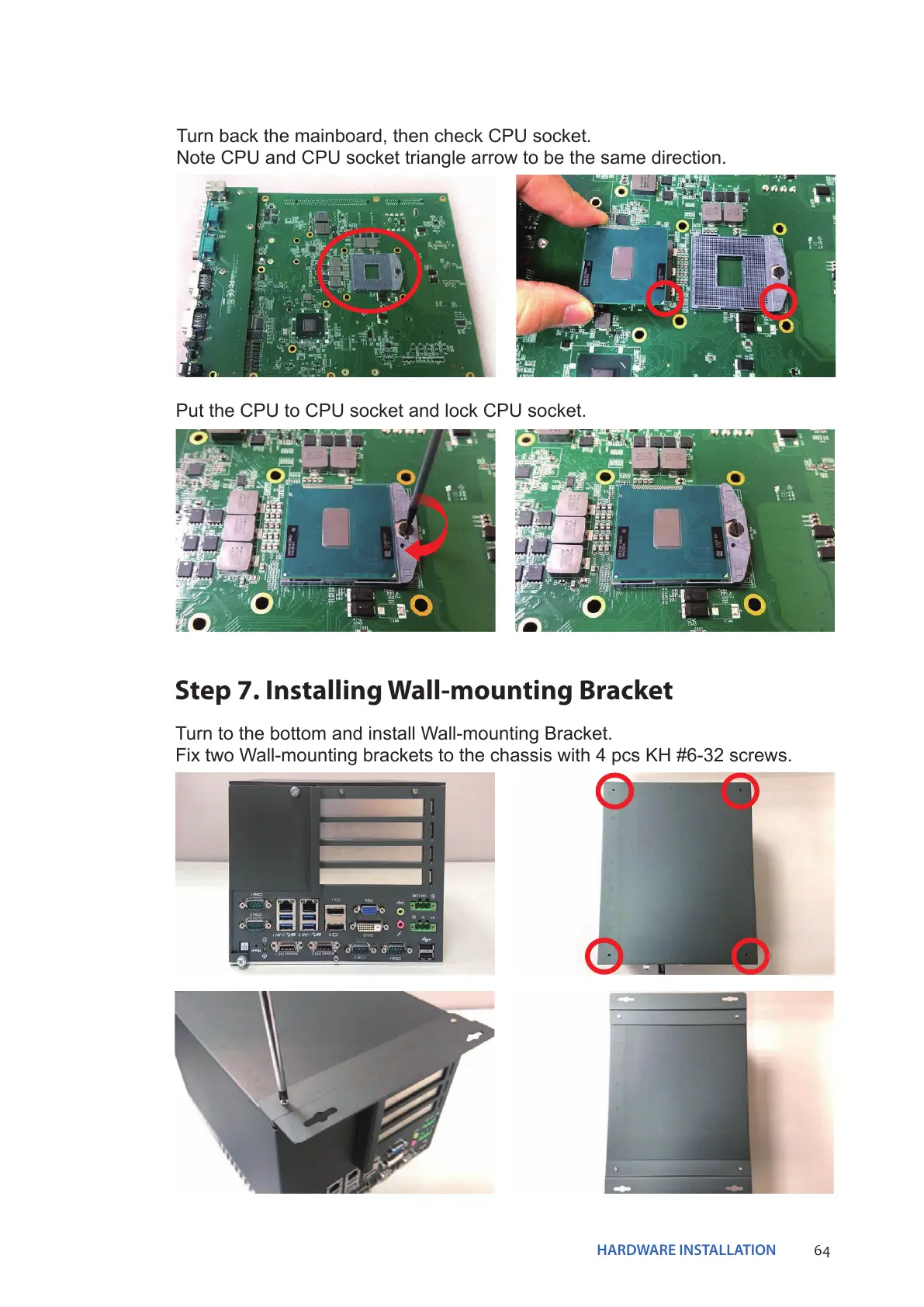
Turn back the mainboard, then check CPU socket.
Note CPU and CPU socket triangle arrow to be the same direction.
Put the CPU to CPU socket and lock CPU socket.
Step 7. Installing Wall-mounting Bracket
Turn to the bottom and install Wall-mounting Bracket.
Fix two Wall-mounting brackets to the chassis with 4 pcs KH #6-32 screws.


 To Next Page