92D-Link DAP-1350 User Manual
Section 3 - Configuration
DMZ
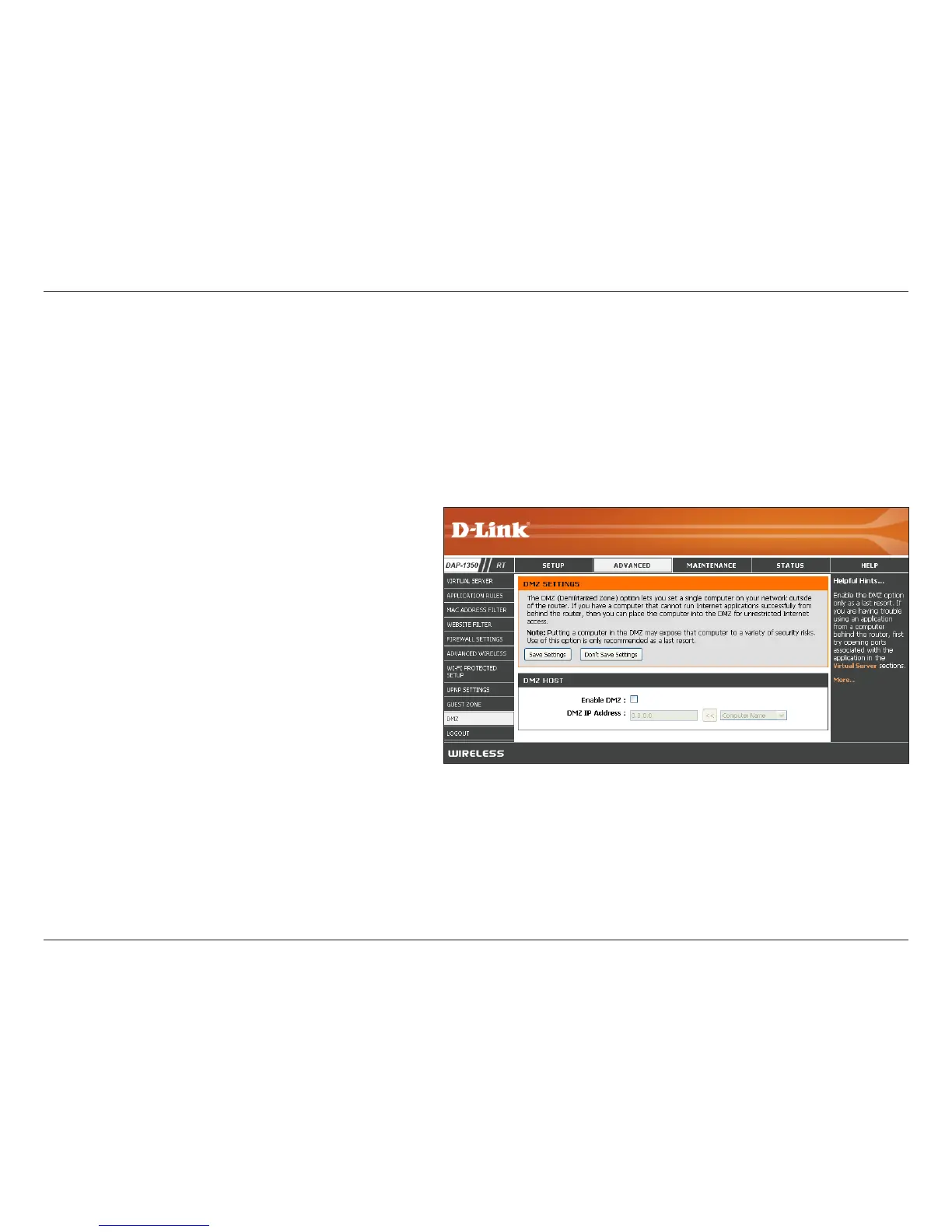
Check this box to enable DMZ.
Enter the IP address of the computer you
would like to open all ports to. You can select a
computer from the Computer Name drop-down
menu and click << to enter the computer name
into the DMZ Host IP Address field.
Enable DMZ:
DMZ Host IP
Address:
This feature allows you to set up a DMZ (Demilitarized Zone) host. If you have a client PC that cannot run Internet
applications properly from behind the DAP-1350, then you can set the client up for unrestricted Internet access. The
DMZ allows a computer to be exposed to the Internet. This feature is useful for gaming purposes. Enter the IP address
of the computer that will be the DMZ host. Adding a client to the DMZ may expose your local network to a variety of
security risks, so only use this option as a last resort.


 To Next Page