54D-Link DAP-2360 User Manual
Section 3 - Conguration
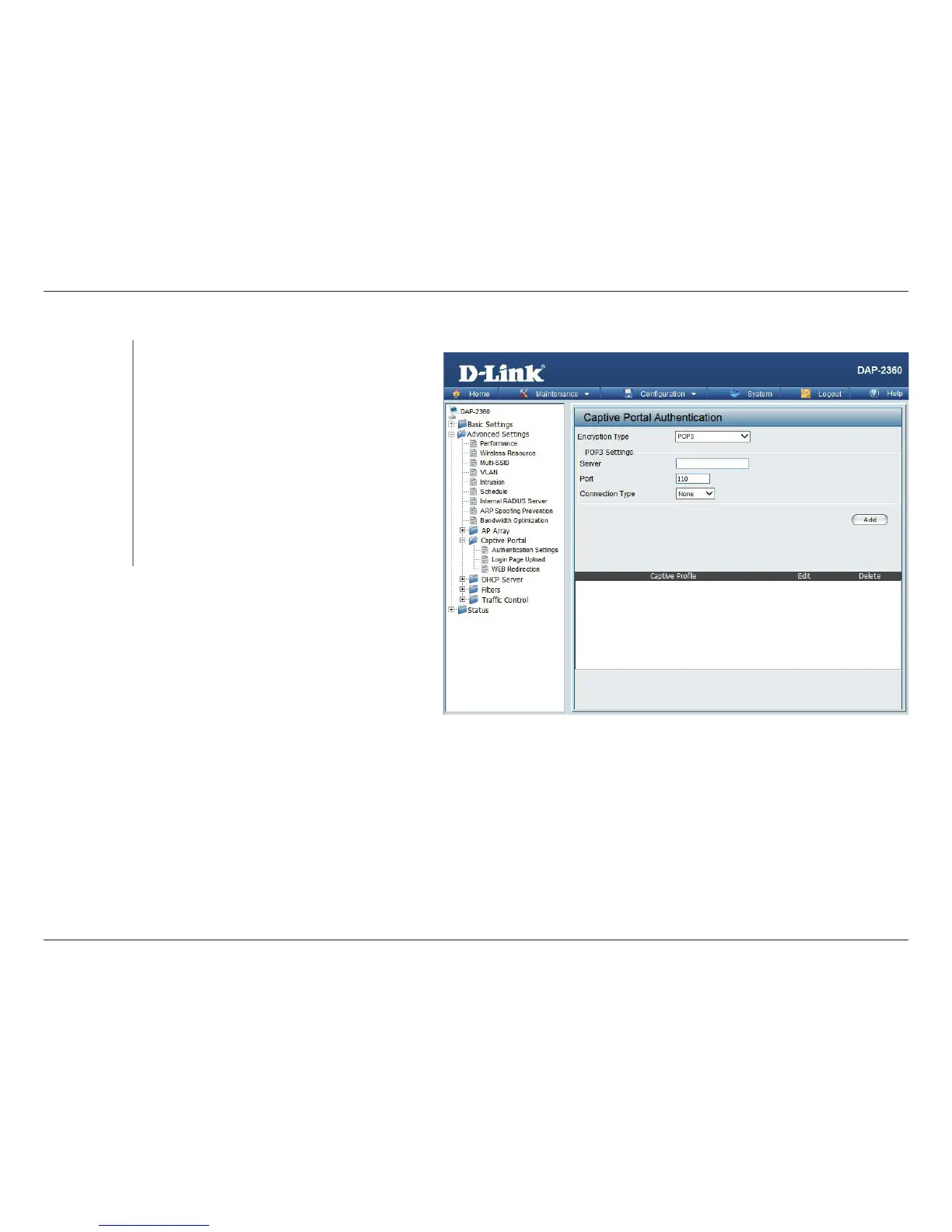
Authentication Settings - POP3
Select the captive portal encryption type here.
Options to choose from are Passcode, Username/
Password, Remote RADIUS, LDAP and POP3. In this
section we’ll discuss the POP3 option.
Enter the POP3 server’s IP address or domain name
here.
Enter the POP server’s port number here.
Select the connection type here. Options to choose
from are None and SSL/TLS.
Encryption
Type:
Server:
Port:
Connection
Type:





 To Next Page