10D-Link DCS-2330L User Manual
Section 1: Product Overview
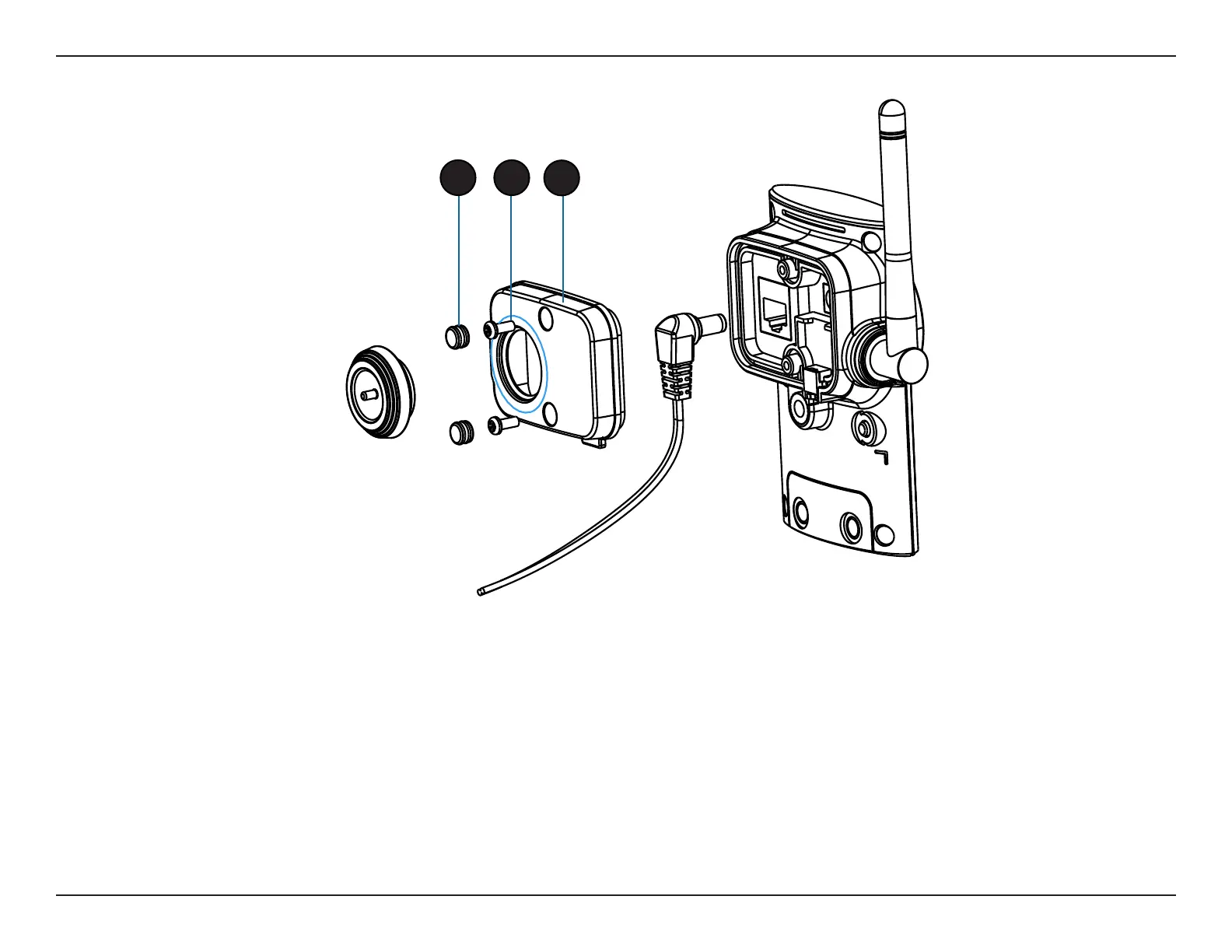
Removing the Top Panel
Step 1:
Place the camera face down on a non-slip at surface.
Step 2:
Carefully pry out the two protective rubber screw coverings using a thin at blade.
Step 3:
Undo the two screws using a Philips #00 Screwdriver.
Step 4:
Lift o the protective panel.
Note: To ensure that the camera stays weatherproof, users are advised to ensure that all the rubber seals are secured rmly in place.
2 3
4


 To Next Page
 Loading...














