14D-Link DCS-2330L User Manual
Section 1: Product Overview
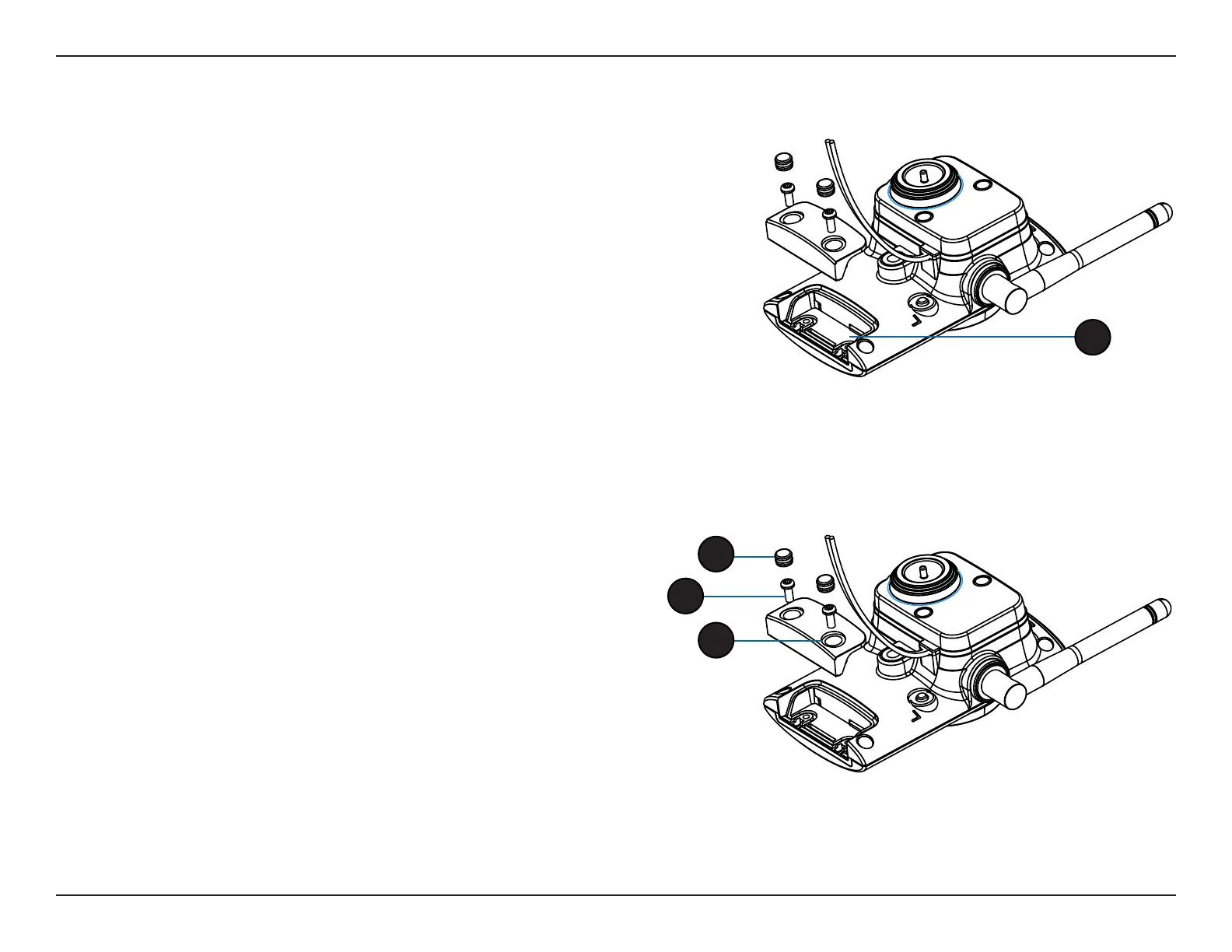
Reattaching the Bottom Panel
Step 1:
Seat the protective panel, ensuring a tight t with the inlaid rubber seal.
Step 2:
Replace the two screws. Ensure that the screws are tightened rmly.
Step 3:
Firmly replace the protective rubber screw coverings.
Note: To ensure that the camera stays weatherproof, users are advised
to ensure that all the rubber seals are secured rmly in place.
Installing an SD Memory Card
Step 1:
Follow the steps outlined in "Removing the Bottom Panel" on page 13.
Step 2:
Insert a MicroSD Memory card into the slot, with the notch facing right.
Step 3:
Follow the steps outlined in "Reattaching the Bottom Panel" on page 14.
2
2
3
4



 To Next Page
 Loading...













