13D-Link DCS-2330L User Manual
Section 1: Product Overview
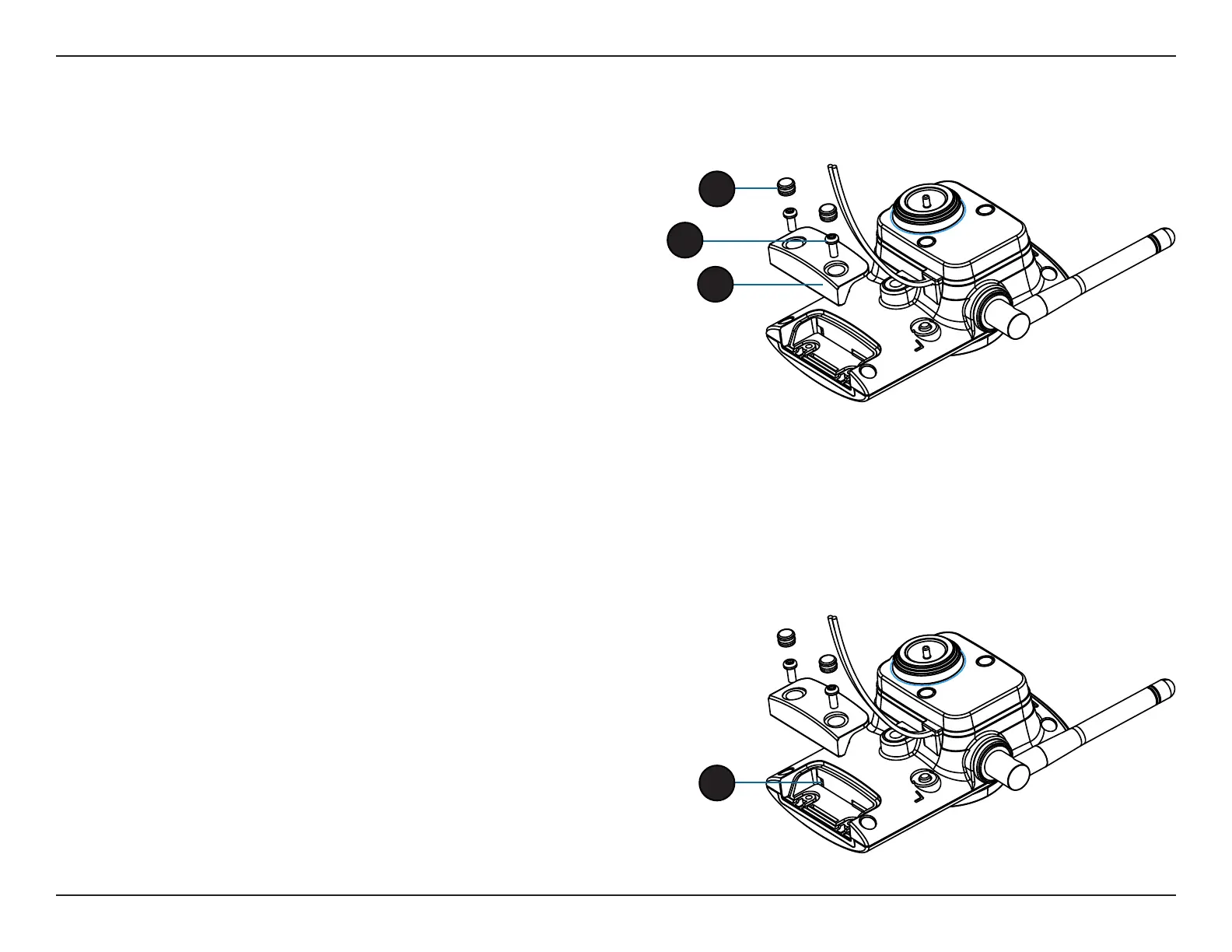
Removing the Bottom Panel
Step 1:
Place the camera face down on a non-slip at surface.
Step 2:
Carefully pry out the two protective rubber screw coverings using a thin
at blade.
Step 3:
Undo the two screws using a Philips #00 Screwdriver.
Step 4:
Lift o the protective panel.
If you need to install an SD Memory Card please skip to "Installing an
SD Memory Card" on page 14.
Using the Reset Button
Step 1:
Follow the steps outlined in "Removing the Bottom Panel" on page 13.
Step 2:
Using a paperclip or similar tool, press and hold the Reset Button for 10 seconds.
This will reset the device to it's factory settings.
Step 3:
Follow the steps outlined in "Reattaching the Bottom Panel" on page 14.
2
3
4
If you need to use the Reset Button follow these steps.
2


 To Next Page
 Loading...














