32D-Link DCS-2330L User Manual
Section 3: Conguration
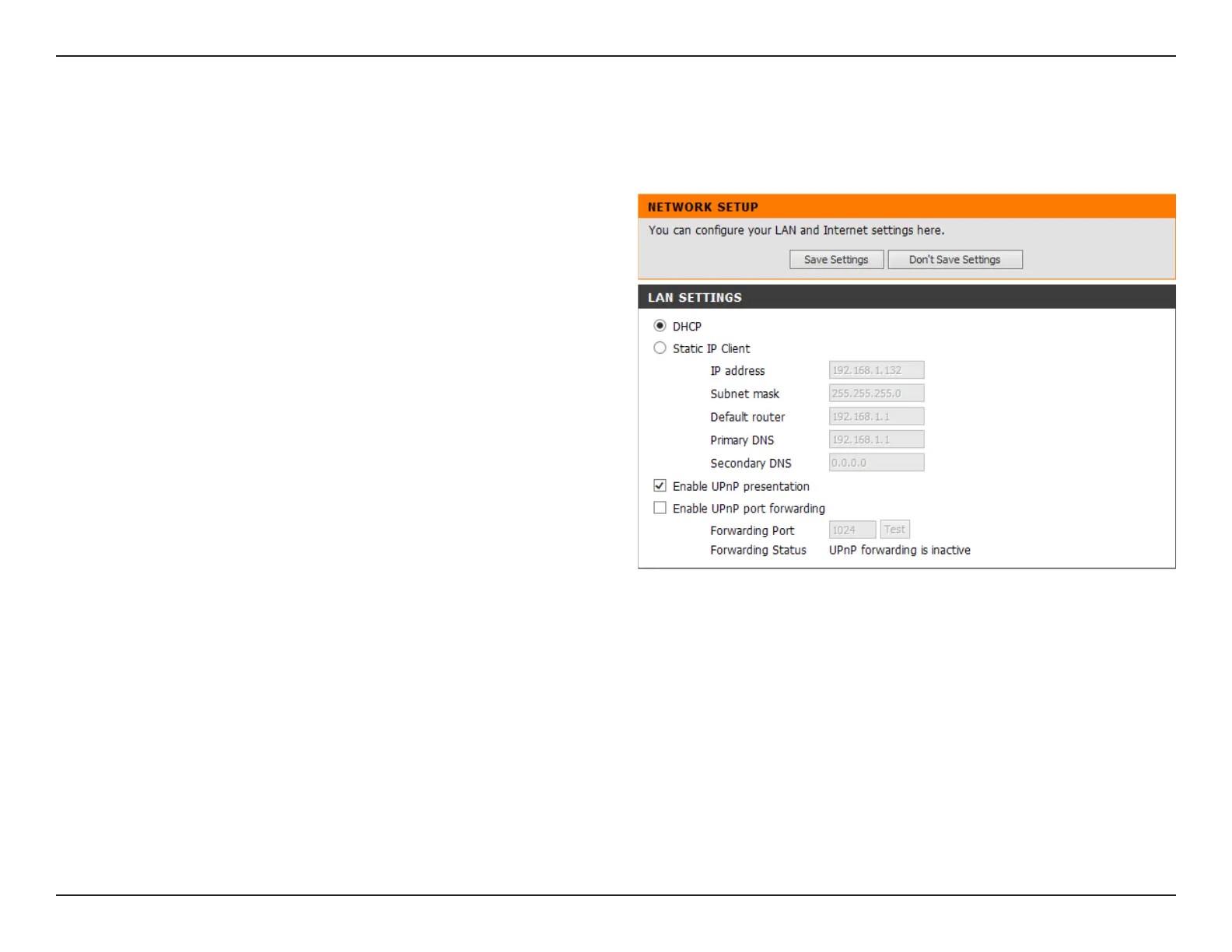
Network Setup
Use this section to congure the network connections for your camera. All relevant information must be entered accurately. After making any
changes, click the Save Settings button to save your changes.
LAN Settings:
DHCP:
Static IP Address:
IP Address:
Subnet Mask:
Default router:
Primary DNS:
Secondary DNS:
Enable UPnP
Presentation:
This section lets you congure settings for your local
area network.
Select this connection if you have a DHCP server
running on your network and would like your
camera to obtain an IP address automatically.
If you choose DHCP, you do not need to ll out the IP
address settings.
You may obtain a static or xed IP address and
other network information from your network
administrator for your camera. A static IP address
may simplify access to your camera in the future.
Enter the xed IP address in this eld.
This number is used to determine if the destination
is in the same subnet. The default value is
255.255.255.0.
The gateway used to forward frames to destinations in a dierent subnet. Invalid gateway settings may cause the failure of
transmissions to a dierent subnet.
The primary domain name server translates names to IP addresses.
The secondary DNS acts as a backup to the primary DNS.
Enabling this setting allows your camera to be congured as a UPnP device on your network.


 To Next Page
 Loading...














