8D-Link DCS-2330L User Manual
Section 1: Product Overview
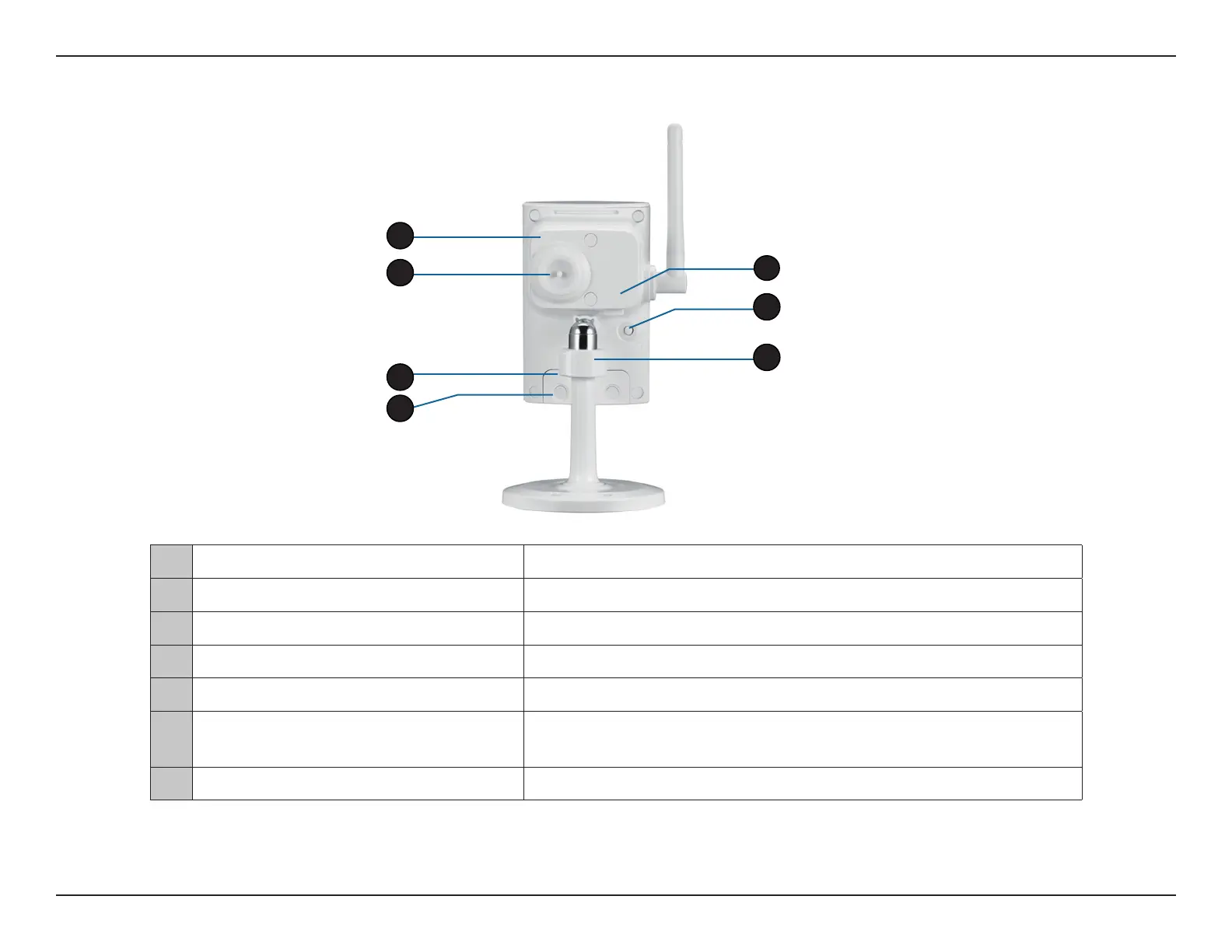
Rear: External
1 Weatherproof Cover Weatherproof protective panel
2 Protective Cable Cover Weatherproof cable connection cover
3 Weatherproof Cover Weatherproof cover for the MicroSD Card slot and reset button
4 Weatherproof Screw Covering Weatherproof protective covering for enclosure screws
5 Power Cable Receptacle
Connects to the included DC 5 V power adapter
6 WPS Button
Press this button, then press the WPS button for 5 seconds on your
router to set up a wireless connection automatically
7 Adjustment Ring Tighten or loosen the adjustment ring to adjust the camera's position
1
3
4
5
2
7
6


 To Next Page
 Loading...














