23D-Link DPN-101G User Manual
Section 3 - Conguration
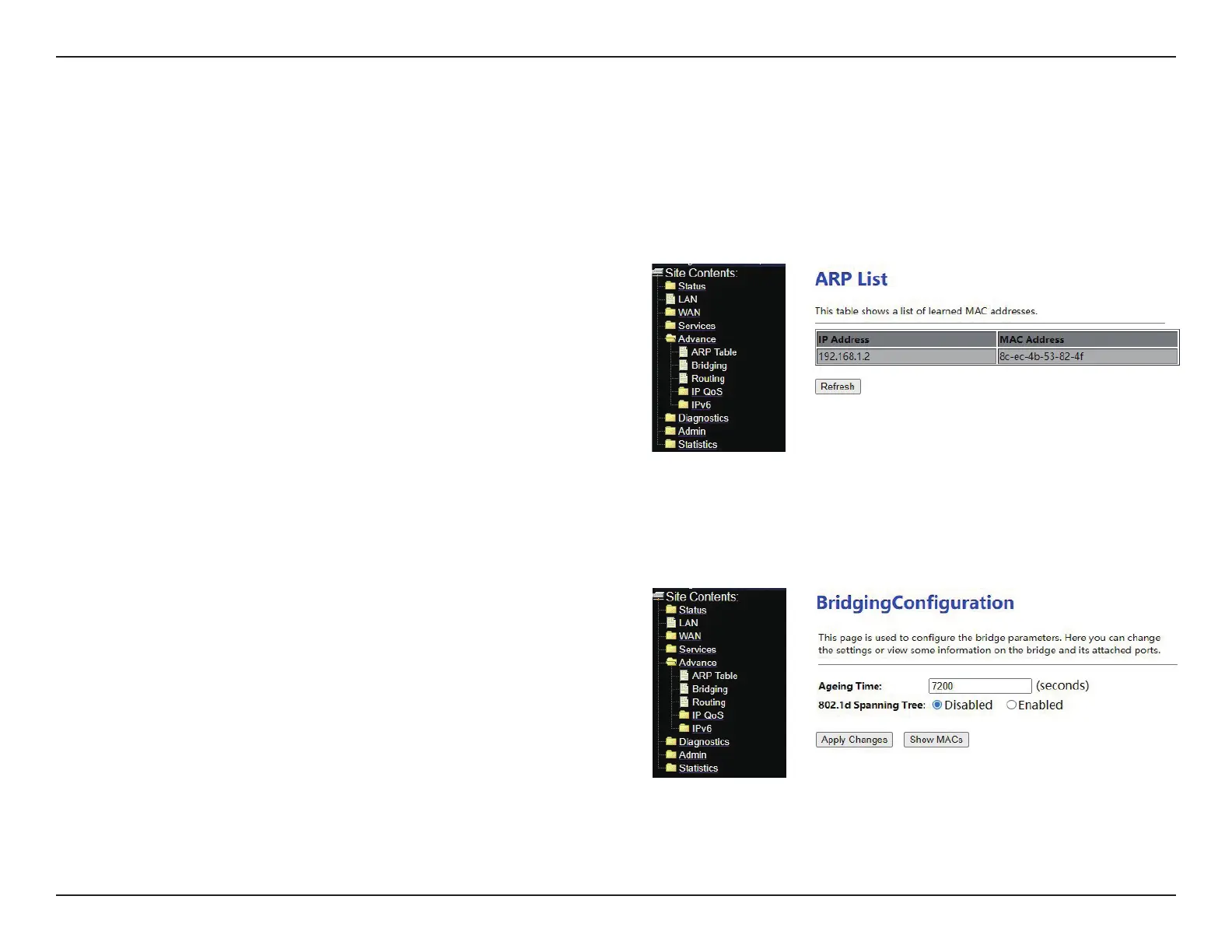
Advance
Bridging Conguration
In the navigation bar, click Advanced. In the Advanced tab that is
displayed contains ARP Table, Bridging, Routing, IP QoS and IPv6.
Choose Advance > Bridging. The page as shown in the right gure
appears. You can congure the age time of MAC learning and enable the
learning of spanning tree. It’s recommended to use the default value.
ARP List


 To Next Page