7D-Link DSL-5300 User Manual
Section 1 - Product Overview
Hardware Overview
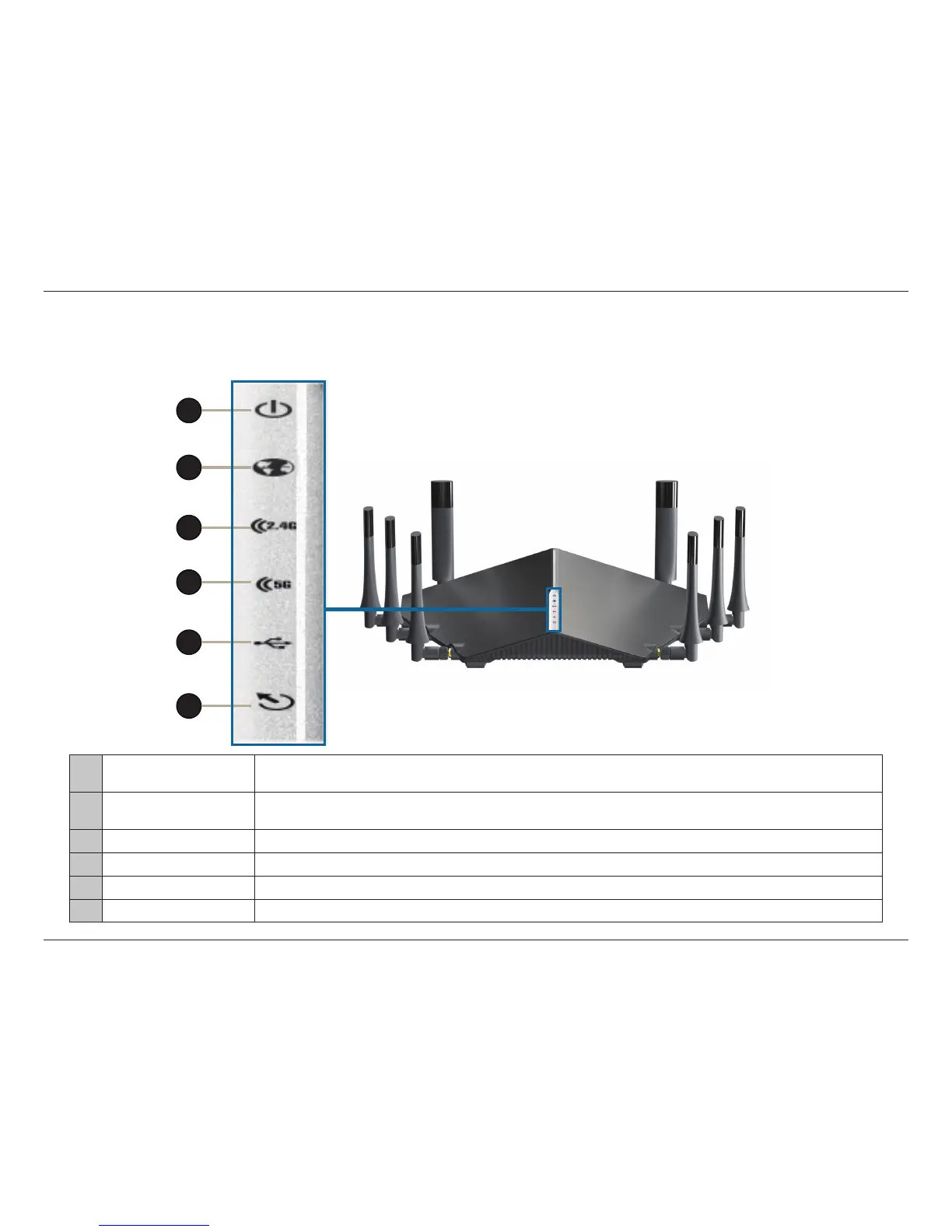
LEDs
1 Power LED
A solid green light indicates a proper connection to the power supply. The light will be solid red during
boot up.
2 USB 3.0/2.0 LED
A solid green light indicates that a USB device was detected in the USB 3.0 port.
A solid orange light indicates that a USB device was detected in the USB 2.0 port.
3 Wireless (2.4 GHz) LED A solid green light indicates that the 2.4 GHz wireless band is enabled.
4 Wireless (5 GHz) LED A solid green light indicates that the 5 GHz wireless band is enabled.
5 DSL LED A solid green light indicates a proper connection to a DSL-enabled telephone line.
6 Internet LED A solid green light indicates a proper connection to a broadband service.
1
2
4
5
6
3



 To Next Page