67D-Link DSL-5300 User Manual
Section 4 - Conguration
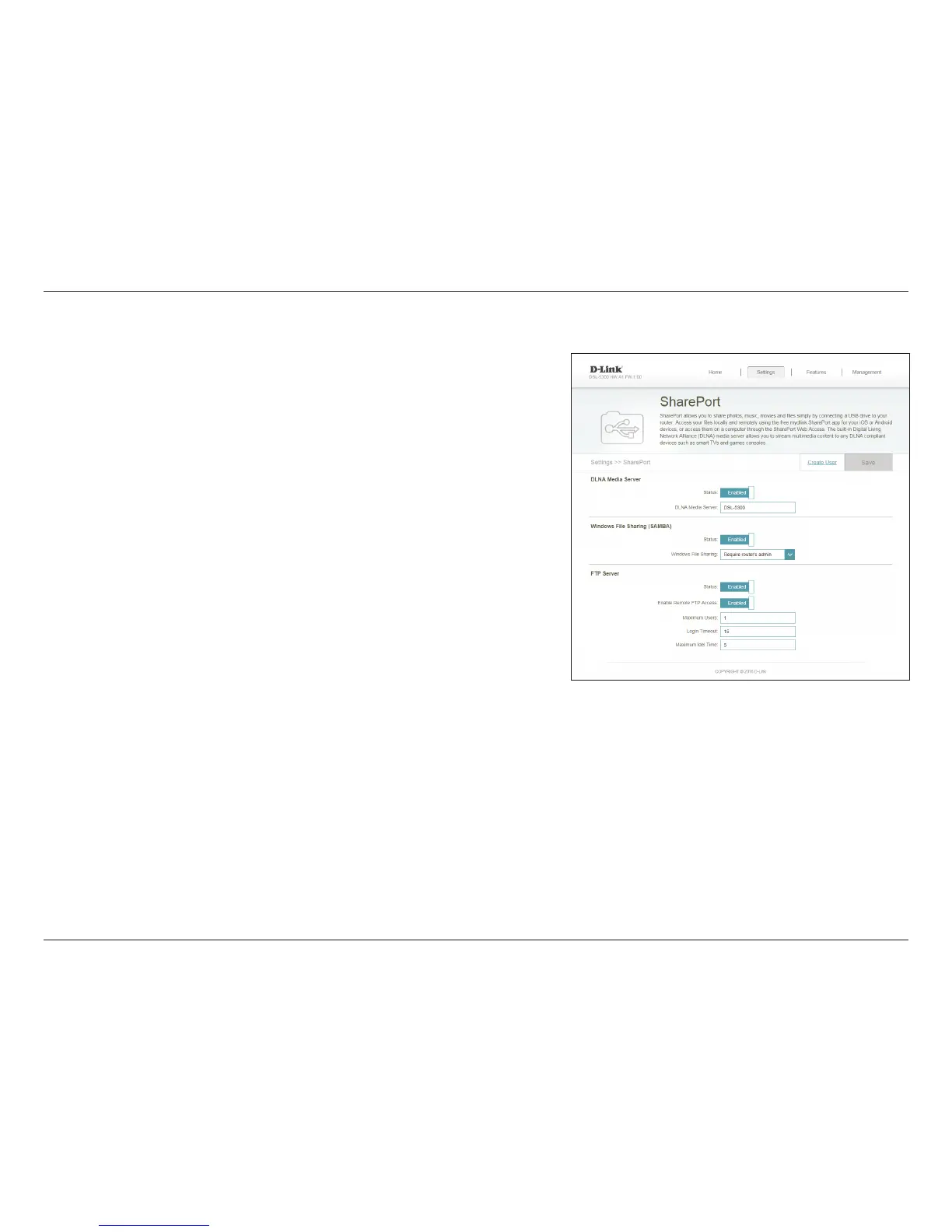
SharePort
This page will allow you to set up access to les on an external USB device plugged
into the router. You can do this through the local network or from the Internet using
either a web browser or an app on your smartphone or tablet. In the Settings menu
on the bar on the top of the page, click SharePort.
Check to enable the media server functions, allowing connected
clients access to media les over the network.
Choose a name for your media server so that it can be found.
Choose either Allow all users to access (no password) or Require
router’s admin password to specify whether the router’s password
will be required for access.
To allow le access via FTP, ensure that the Status is Enabled. Enable
Remote FTP Access allows users to access les from outside the
network via FTP. If this is enabled, enter the Maximum Users, Login
Timeout, and the Maximum Idle Time.
Click Save when you are done.
Status:
UPnP Media
Server:
Windows
File Sharing
(SAMBA):
FTP File Access:
To manage user accounts for SharePort access, click Create User and refer to the
next page for details.



 To Next Page