10D-Link DSL-5300 User Manual
Section 2 - Installation
1
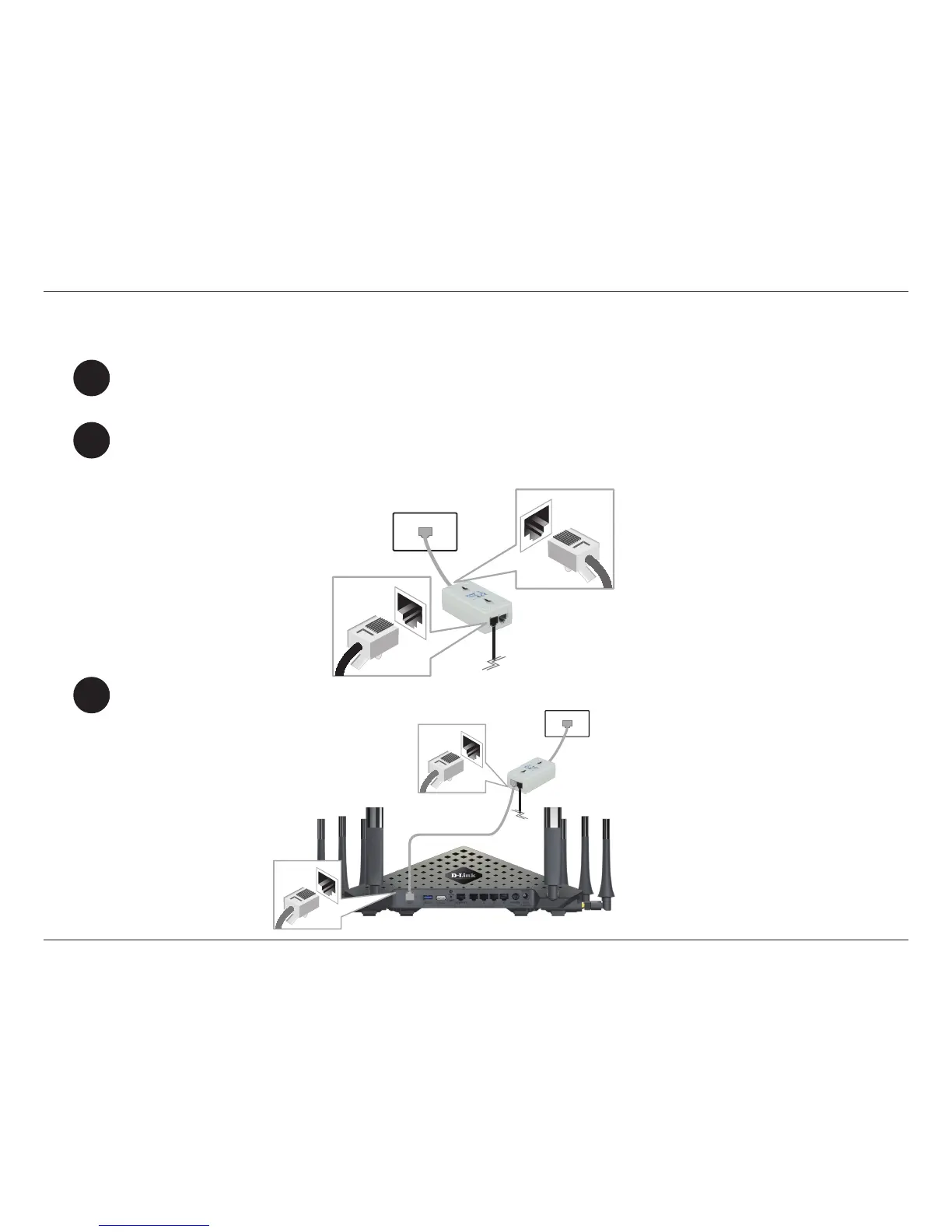
Connect your existing phone cable from a telephone outlet to the LINE port on the microlter and your
telephone handset into the PHONE port.
2
3
Connect the phone cable from the DSL port on the Microlter to the ADSL port of the modem router.
Microlter
Telephone Outlet LINE
PHONE
Phone Cable
DSL-5300
Microlter
Position your router close to a wall jack that provides DSL service. Place the router in an open area of your
intended work area for better wireless coverage.
Manual Setup
Caution: - To reduce the risk of re, use only No. 26 AWG or larger telecommunication line cord.



 To Next Page