30D-Link DSL-5300 User Manual
Section 4 - Conguration
For Dynamic IP (DHCP) refer to Dynamic IP (DCHP) on page 31.
For Static IP refer to Static IP on page 32.
For PPPoE refer to PPPoE on page 33.
For PPPoA refer to PPPoA on page 34.
For PPTP refer to PPTP on page 35.
For L2TP refer to L2TP on page 37.
For DS-Lite refer to DS-Lite on page 39
For Bridge refer to Bridge on page 40.
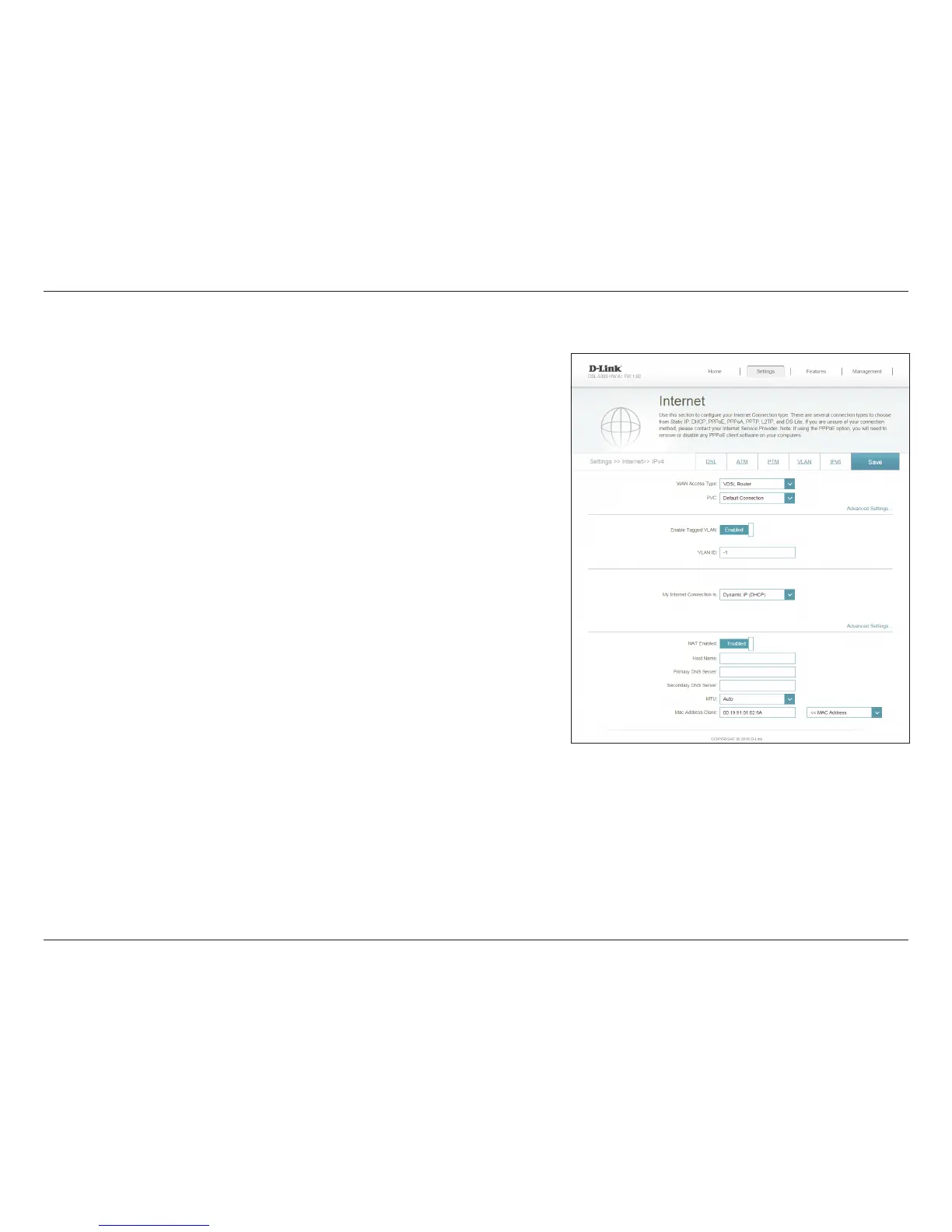
Select whether the device should act as an ADSL Router, a VDSL
Router, a Residential Gateway, or a 3G/4G Dongle.
Use the default setting unless otherwise instructed by your ISP.
If you selected Residential Gateway, select the Ethernet port that
will connect to the WAN. Use this setting if you do not intend to use
the built-in DSL modem.
Enable or disable Tagged VLAN.
Enter the VLAN ID.
Choose your Internet connection type from the drop-down menu.
You will be presented with the appropriate options for your
connection type.
WAN Access
Type:
PVC:
Ether WAN Port:
Enable Tagged
VLAN:
VLAN ID:
My Internet
Connection Is:
In the Settings menu on the bar on the top of the page, click Internet to see the
Internet conguration options. Click Advanced Settings... to expand the list and
see all of the options.



 To Next Page