51D-Link DSL-5300 User Manual
Section 4 - Conguration
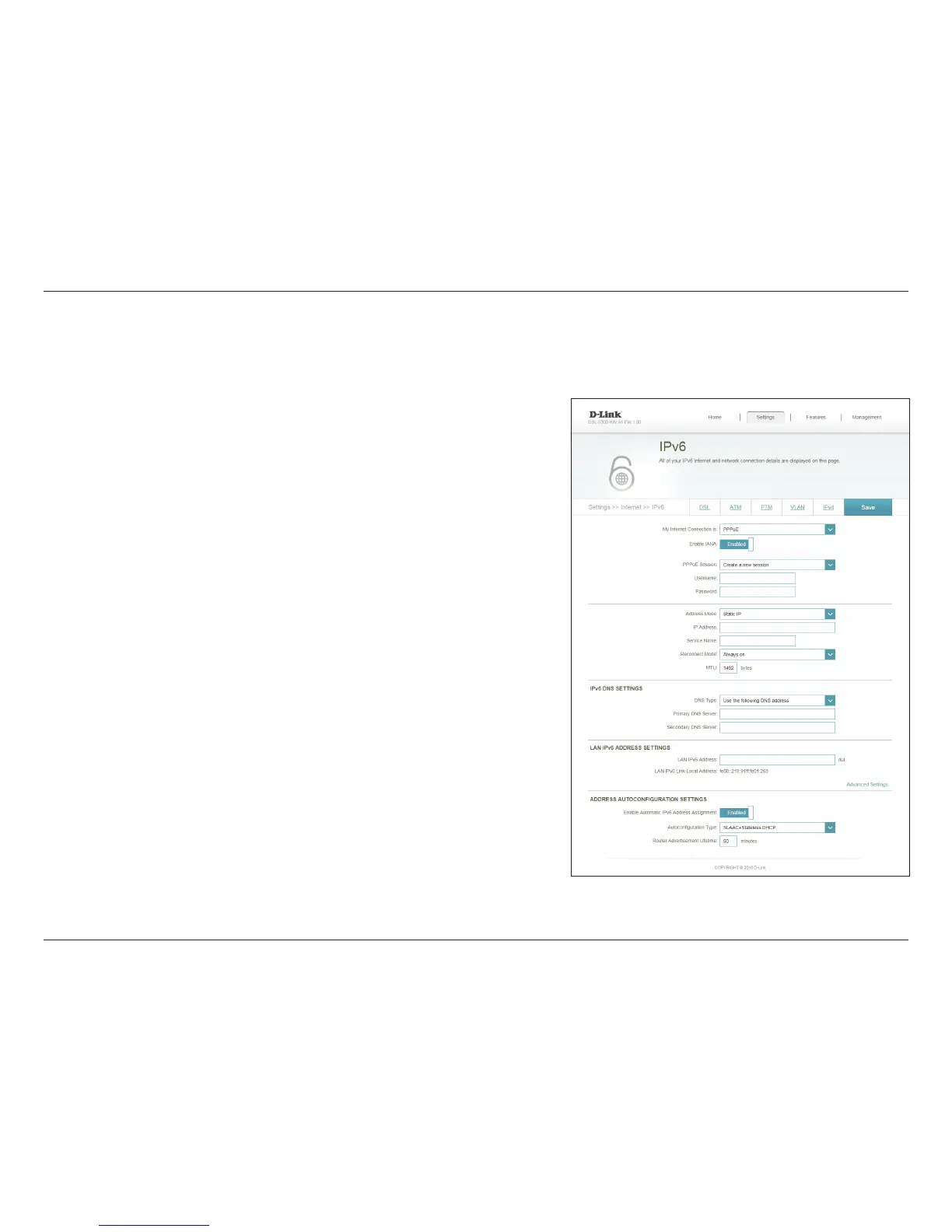
PPPoE
Choose Share with IPv4 to re-use your IPv4 PPPoE username and
password, or Create a new session.
Enable this option to enable Internet Assigned Numbers Authority
IPv6 Compatibility.
If you selected Create a new session above, enter the PPPoE
username provided by your ISP here.
If you selected Create a new session above, enter the PPPoE
password provided by your ISP here.
Select Static IP if your ISP assigned you the IP address, subnet mask,
gateway, and DNS server addresses. In most cases, select Dynamic IP.
Enter the IP address provided by your ISP (Static IP only).
Maximum Transmission Unit - you may need to change the MTU for
optimal performance with your ISP.
Select either Obtain DNS server address automatically or Use the
following DNS address.
If you selected Use the following DNS address above, enter the
primary DNS server address.
If you selected Use the following DNS address above, enter the
secondary DNS server address.
PPPoE Session:
Enable IANA:
Username:
Password:
Address Mode:
IP Address:
MTU:
DNS Type:
Primary DNS
Server:
Secondary DNS
Server:
Select PPPoE if your Internet connection requires you to enter a username and password. This information is provided by your Internet Service
Provider (ISP).



 To Next Page