60D-Link DSL-5300 User Manual
Section 4 - Conguration
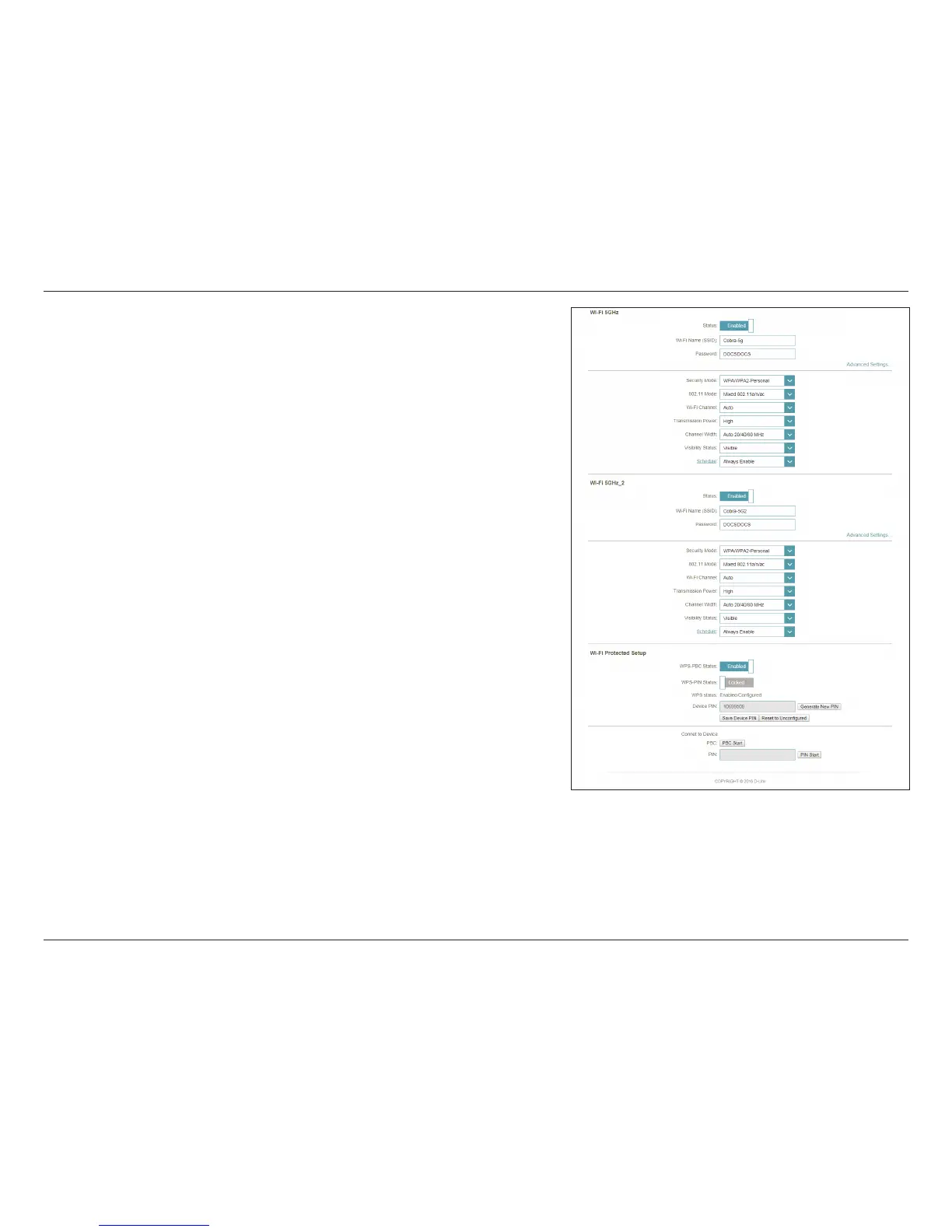
The default setting is Visible. Select Invisible if you do not want to
broadcast the SSID of your wireless network.
Use the drop-down menu to select the time schedule that the rule
will be enabled on. The schedule may be set to Always Enable, or
you can create your own schedules in the Schedules section. Refer
to page 83 for more information.
Enable or disable Wi-Fi Protected Setup Push Button Conguration
(WPS-PBC) functionality.
Enable or disable WPS-PIN functionality.
Note: WPS-PIN functionality has known security vulnerabilities and is
disabled by default for your protection. It is provided for compatibility
only.
Displays WPS status.
Displays the current PIN. Use of WPS-PIN is not recommended.
Generates a new, random PIN. Use of WPS-PIN is not recommended.
Enables you to start PBC pairing from the web UI.
Allows you to pair a client device congured with a PIN without
enabling PIN support on your router.
Click Save when you are done.
Visibility Status:
Schedule:
WPS-PBC
Status:
WPS-PIN Status:
WPS status:
Device PIN:
Generate New
PIN:
PBC Start
PIN Start:



 To Next Page