26D-Link DSL-G225 Wireless N300 ADSL2+/VDSL2 Modem Router User Manual
Section 4 - Conguration
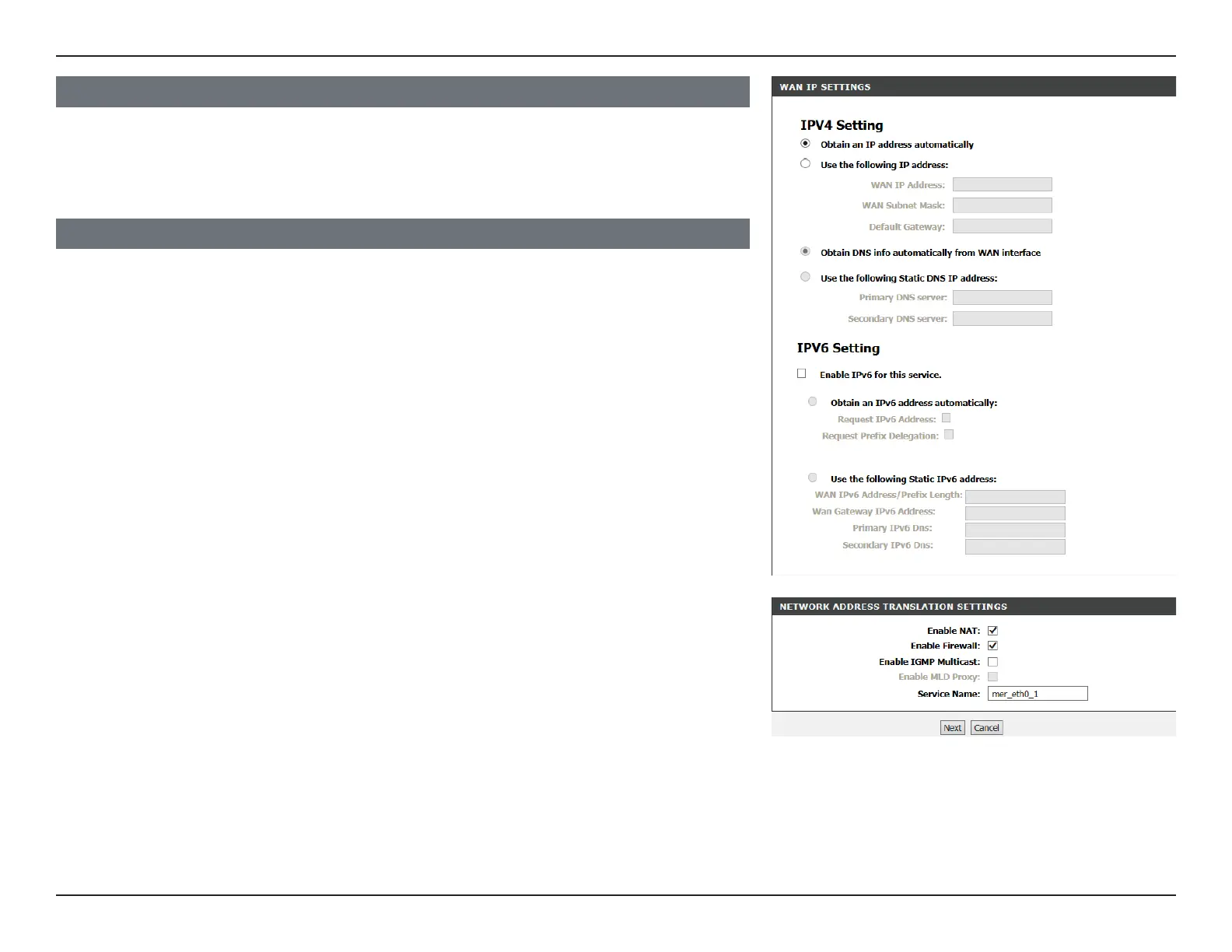
Enable NAT: Check this to enable the router to use NAT to assign IP addresses
for your devices.
Enable Firewall: Check to enable the firewall.
Enable IGMP
Multicast:
Check to enable IGMP Multicast.
Enable MLD
Proxy:
Check to enable the MLD proxy.
Service Name: Enter the service name.
NETWORK ADDRESS TRANSLATION SETTINGS
WAN IP SETTINGS
If you selected MAC Encapsulation Routing (MER), enter your IPv4 and/or IPv6 details
and proceed to the Network Address Translation Settings.
Click Next to continue.



 To Next Page