66D-Link DSL-G225 Wireless N300 ADSL2+/VDSL2 Modem Router User Manual
Section 4 - Conguration
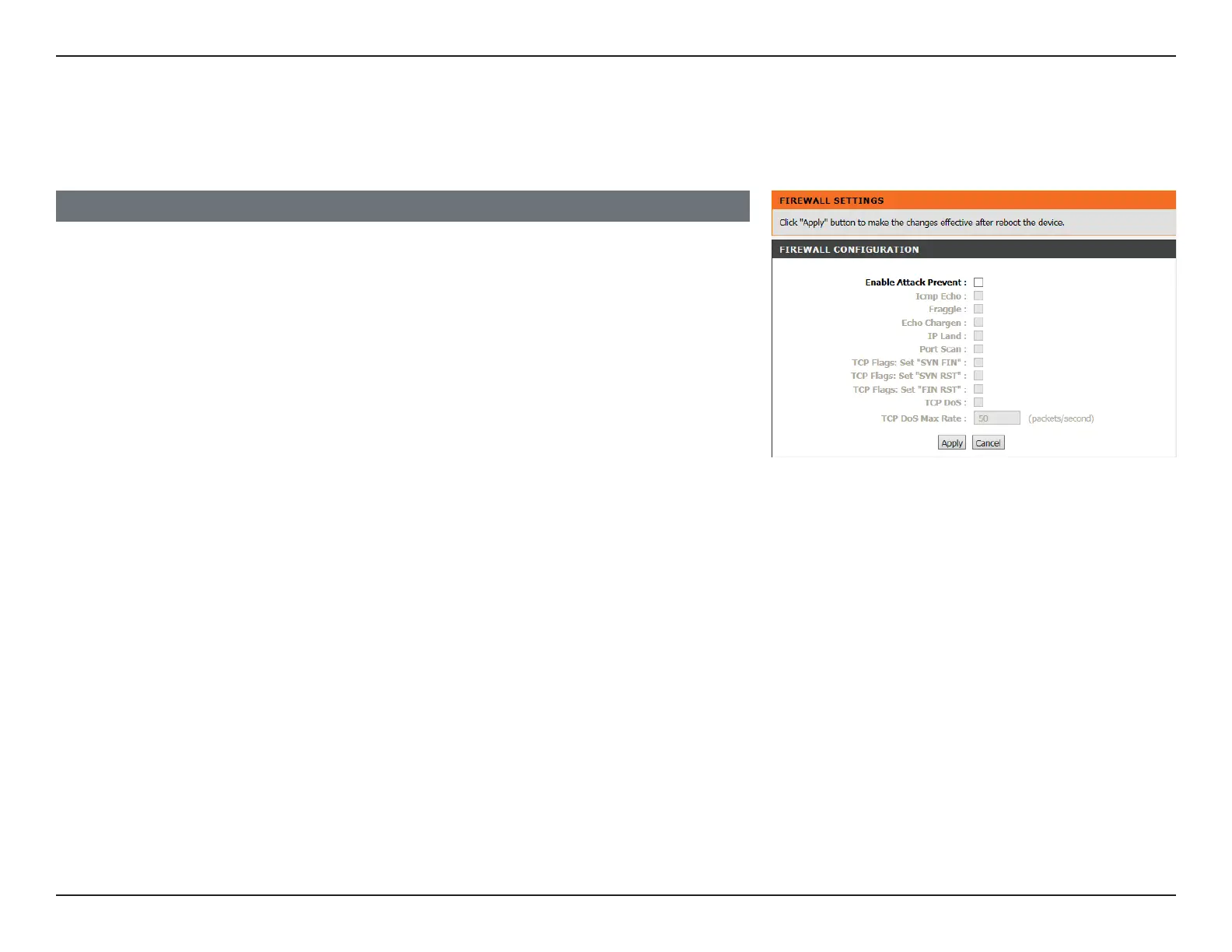
Firewall Settings
The router’s rewall protects your network from malicious Denial of Service (DoS) attacks over the Internet. If you suspect your
network to be the target of a DoS attack you may enable these.
Enable Attack
Prevent:
Select the interface to use with the rule.
ICMP Echo: Check to enable ICMP echo protection.
Fraggle: Check to enable UDP echo (port 7) protection.
Echo Chargers: Check to enable UDP character generator (port 19) protection.
IP Land: Check to enable Local Area Network Denial attack protection.
Port Scan: Check to enable Port Scan protection.
TCP Flags:
“SYN FIN”:
Check to enable SYN FIN protection.
TCP Flags:
“SYN RST”:
Check to enable SYN RST protection.
TCP Flags:
“FIN RST”:
Check to enable FIN RST protection.
TCP DoS Check to enable TCP DoS protection.
TCP DoS Max Rate: Enter the maximum number of packets per second to prevent DoS
attacks.
FIREWALL CONFIGURATION
Click Apply when you are done.



 To Next Page