58D-Link DSL-G225 Wireless N300 ADSL2+/VDSL2 Modem Router User Manual
Section 4 - Conguration
Port Triggering
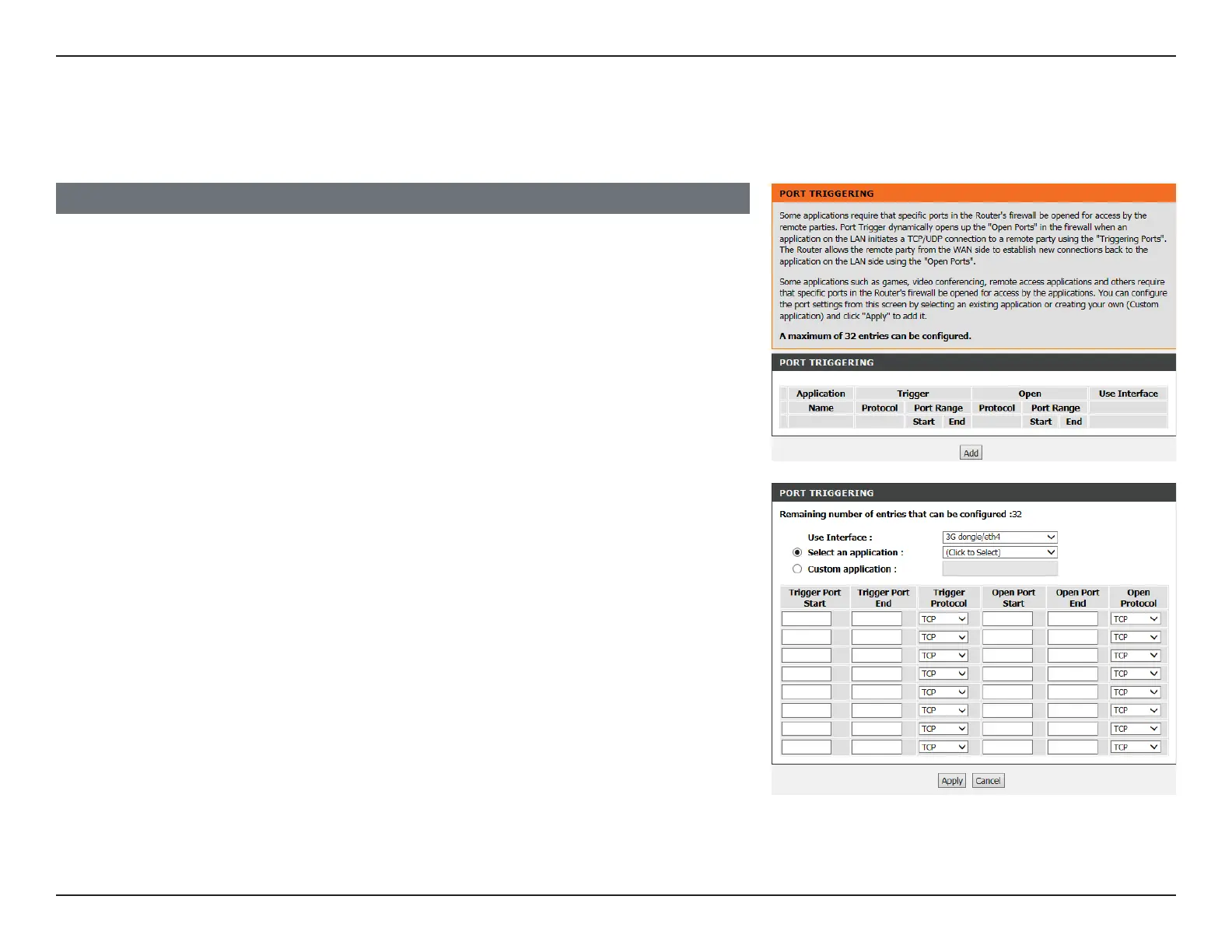
On this page you will see a list of current port forwarding congurations. Click Add to add
a port trigger
Use Interface: Select the interface to use with the rule.
Select an
application:
Select an application you want to setup for port triggering or enter
a name in Custom application.
Schedule: Select a schedule or choose Always.
Trigger Port Start/
End:
Enter the trigger port(s).
Trigger Protocol: Select TCP or UDP.
Open Port Start/
End:
Enter the port(s) to open.
PORT TRIGGERING
This page allows you to manually congure the router’s Port Triggering settings.
Click Apply when you are done.



 To Next Page