75D-Link DSL-G225 Wireless N300 ADSL2+/VDSL2 Modem Router User Manual
Section 4 - Conguration
Queue Cong
QOS SETUP
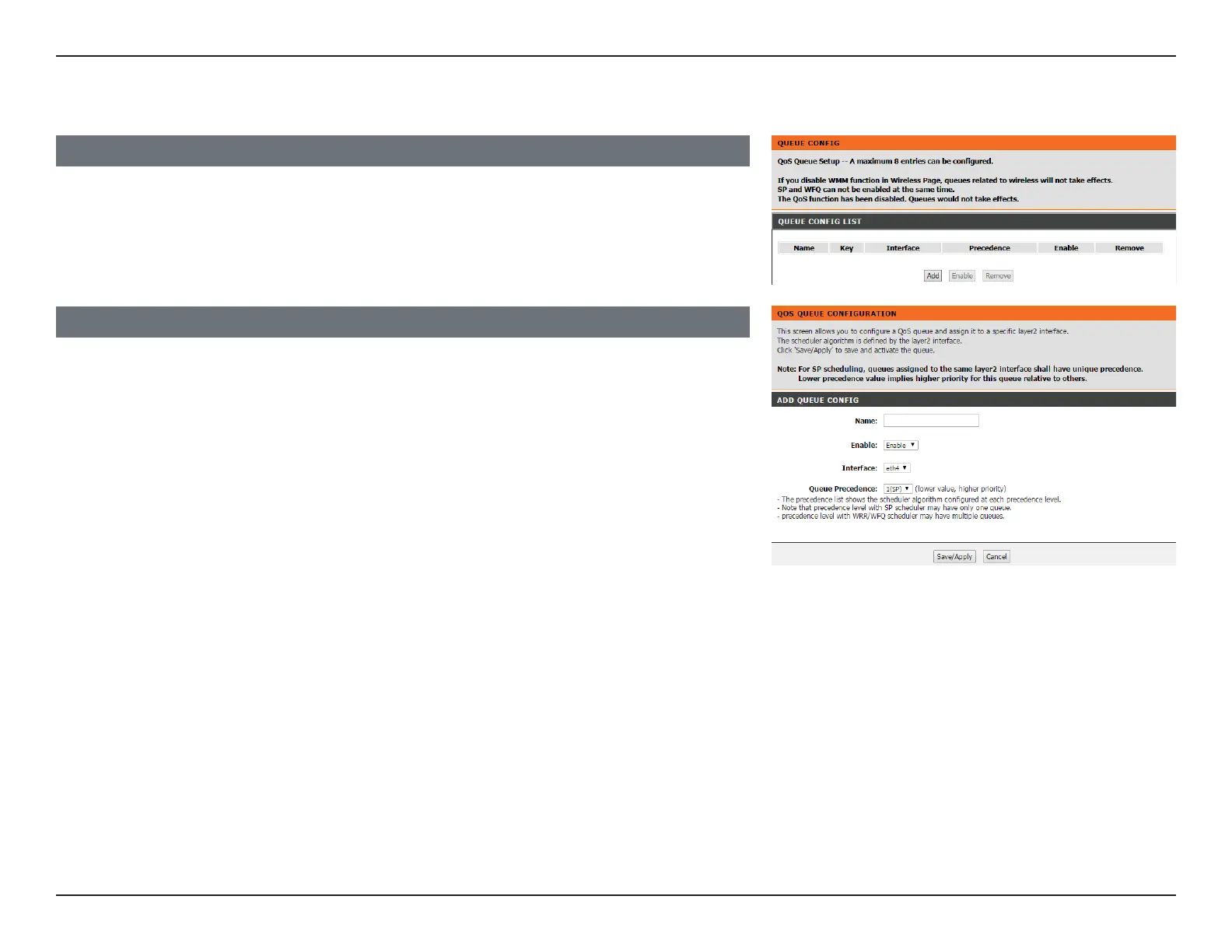
To set up the QoS queue, click Queue Cong.
A list of the currently-congured queues will appear. Click Add to add a new queue, Enable
to enable the selected queues, or Remove to remove the selected queues.
ADD QUEUE CONFIG
If you clicked Add, the following page will be displayed.
Enter a name for your queue under Queue Name, Enable or Disable it, and choose the
Interface that the queue will use and the Queue Precedence.
Click Save/Apply when you are done.



 To Next Page