82D-Link DSL-G225 Wireless N300 ADSL2+/VDSL2 Modem Router User Manual
Section 4 - Conguration
Certicates
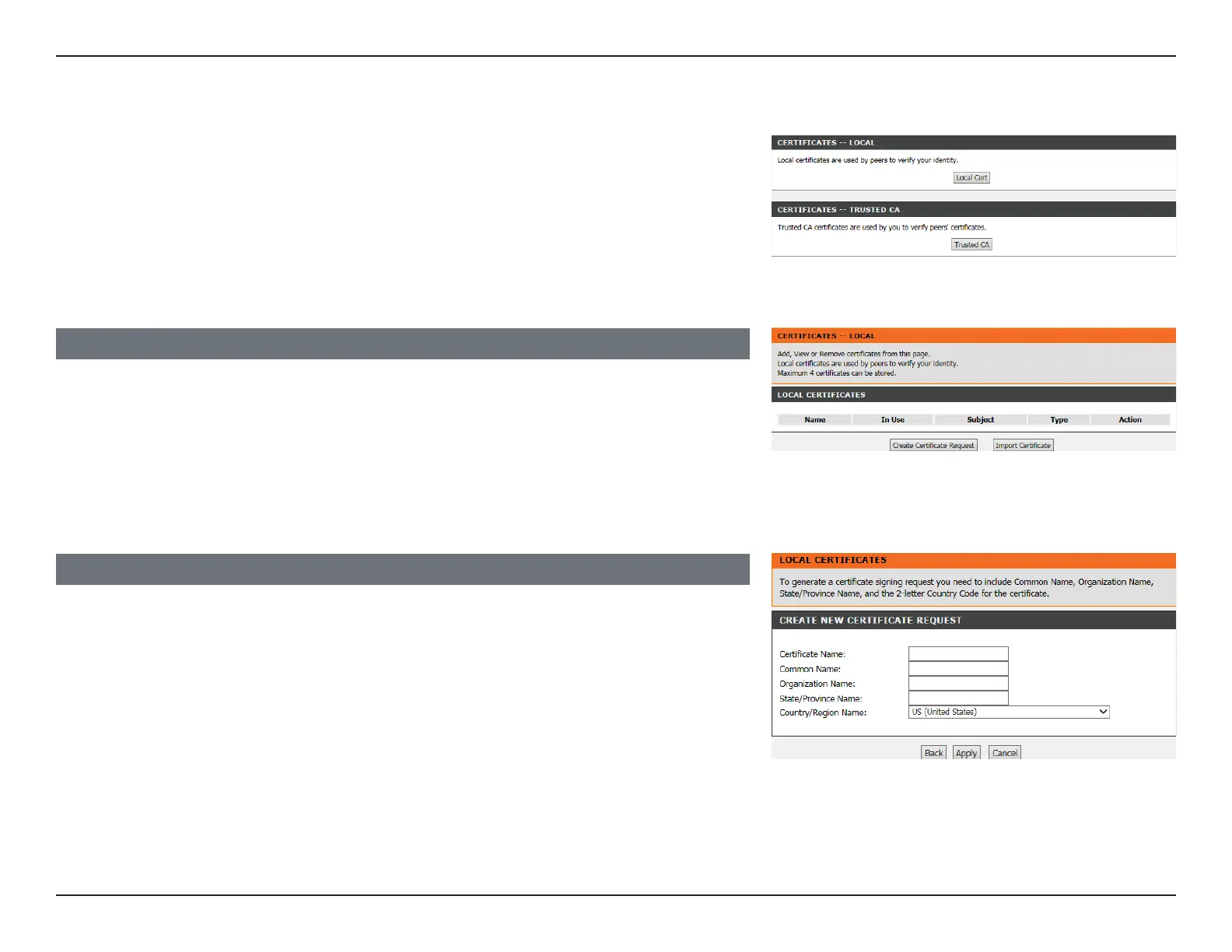
To congure the certicates, click Certicates.
Click Local Cert to import local certicates that are used by peers to verify your identity.
Click Trusted CA to import the CA certicates used by you to verify peers’ identities.
LOCAL CERTIFICATES
On this page, you can acquire the local certicate by creating a certicate request or
importing a certicate. You may also create or remove a certicate.
Click Create a New Certicate Request to bring up the Create New Certicate Request
page.
Click Import Certicate to import a local certicate.
CREATE NEW CERTIFICATE REQUEST
If you clicked Create a New Certicate Request, you will see the following page.
The Common Name is the “fully qualied domain name,” (or FQDN) used for DNS lookups
of your server (for example, www.mydomain.com). Browsers use this information to identify
your web site. Some browsers will refuse to establish a secure connection with your site
if the server name does not match the common name in the certicate. Please do not
include the protocol symbol “http://”, port numbers, or pathnames in the common name.
Do not use wildcard characters such as “*” or “?”, and do not use an IP address.
Click Apply when you are done. You will see the generated certicate request.
Local Cert



 To Next Page