220 © 2001- 2008 D-Link Corporation. All Rights Reserved.
D-Link Unified Access System User Manual
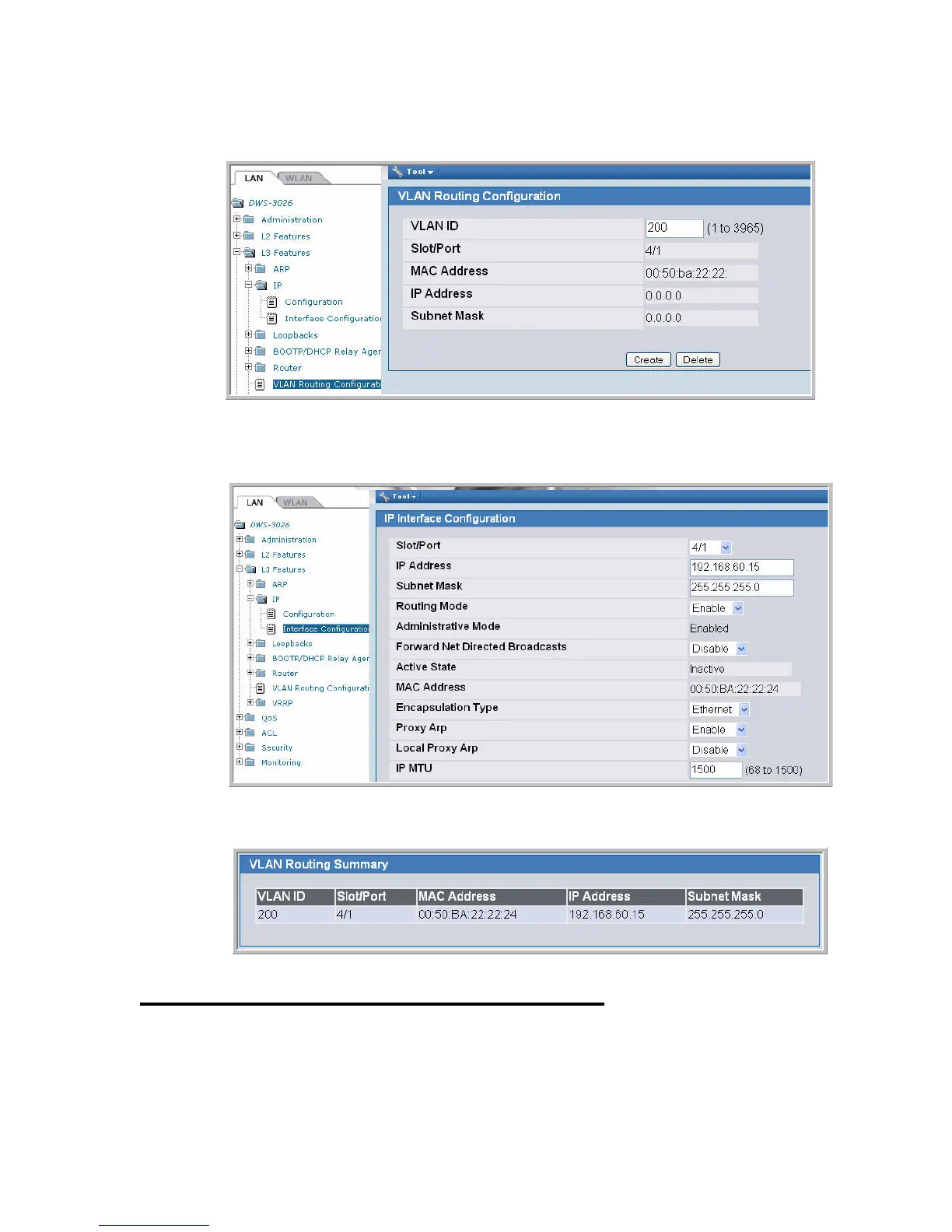
2. From the L3 Features > VLAN Routing Configuration page, create a VLAN routing
interface on VLAN 200.
3. From the L3 Features > IP > Interface Configuration page, assign an IP address and
subnet mask to the interface, and make sure routing is enabled.
4. From the Monitoring > L3 Status > VLAN Routing Summary page, view the summary
information for the VLAN routing interface.
Configuring the L3 Tunnel Network
Configure L3 tunneling by modifying or adding a Network. Then, make sure the network is
associated with a VAP on the AP Profile assigned to the APs that wireless clients might use for


 To Next Page