DIR-620S Wireless N300 Router with 3G/LTE Support and
USB Port
User Manual
Configuring via Web-based Interface
SMS
When a new text message is received, the relevant notification will be displayed in the top right
corner of the page. Click the CHECK button. After clicking the button, the USB Modem /
Modem name / SMS page opens.
On the USB Modem / Modem name / SMS page, you can create and send a text message and
also view the history and status of sent and received messages stored in the memory of the SIM
card.
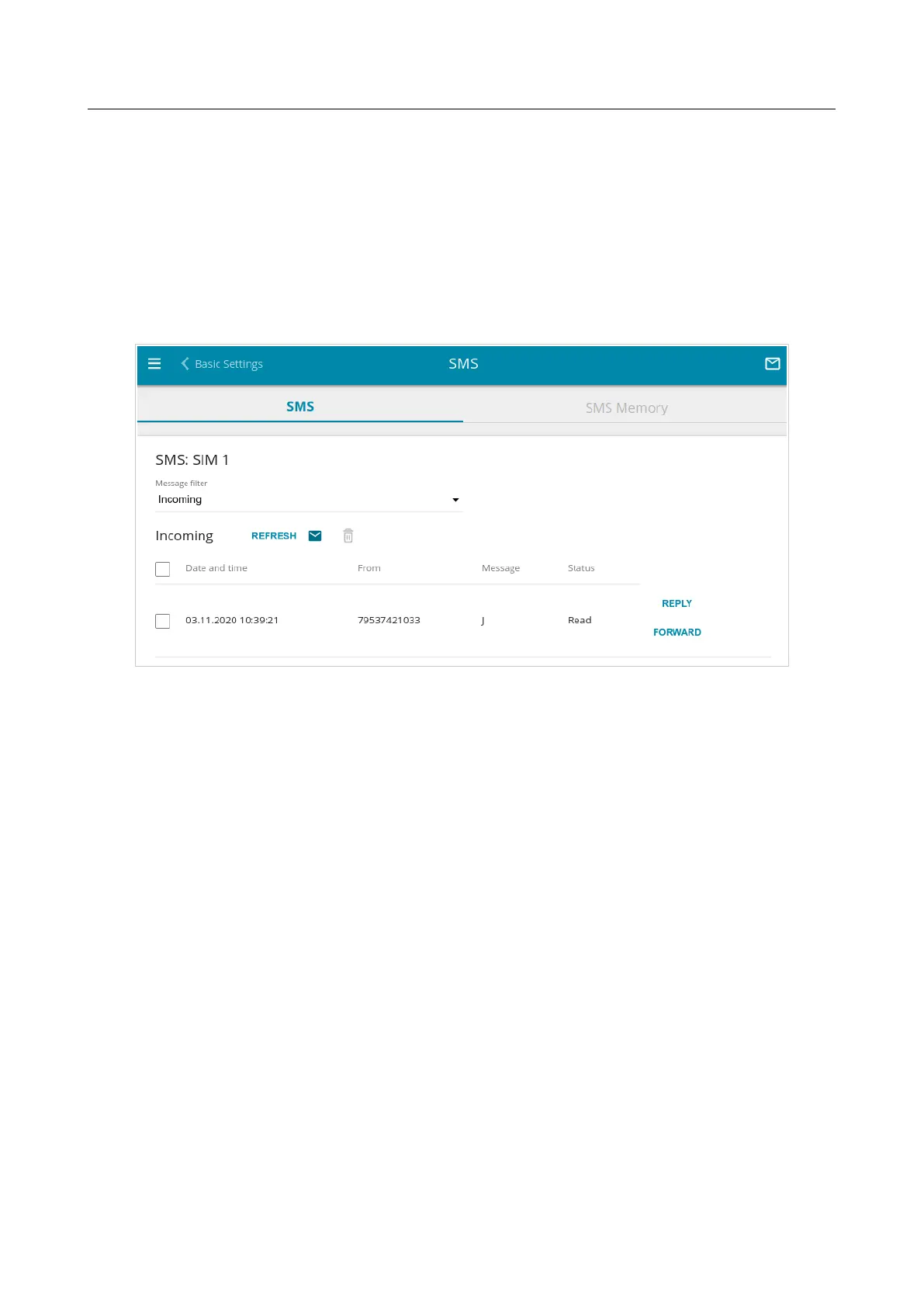
Figure 136. The USB Modem / Modem name / SMS page. The SMS tab.
To view all outgoing and incoming messages on the SMS tab, select the relevant value from the
Message filter drop-down list.
To view the latest data on sent and received messages, click the REFRESH button.
Page 165 of 238










 To Next Page